Your Profile
Your profile holds your own details, how you want information displayed, and where alerts should reach you. Open it from the account menu in the title bar.
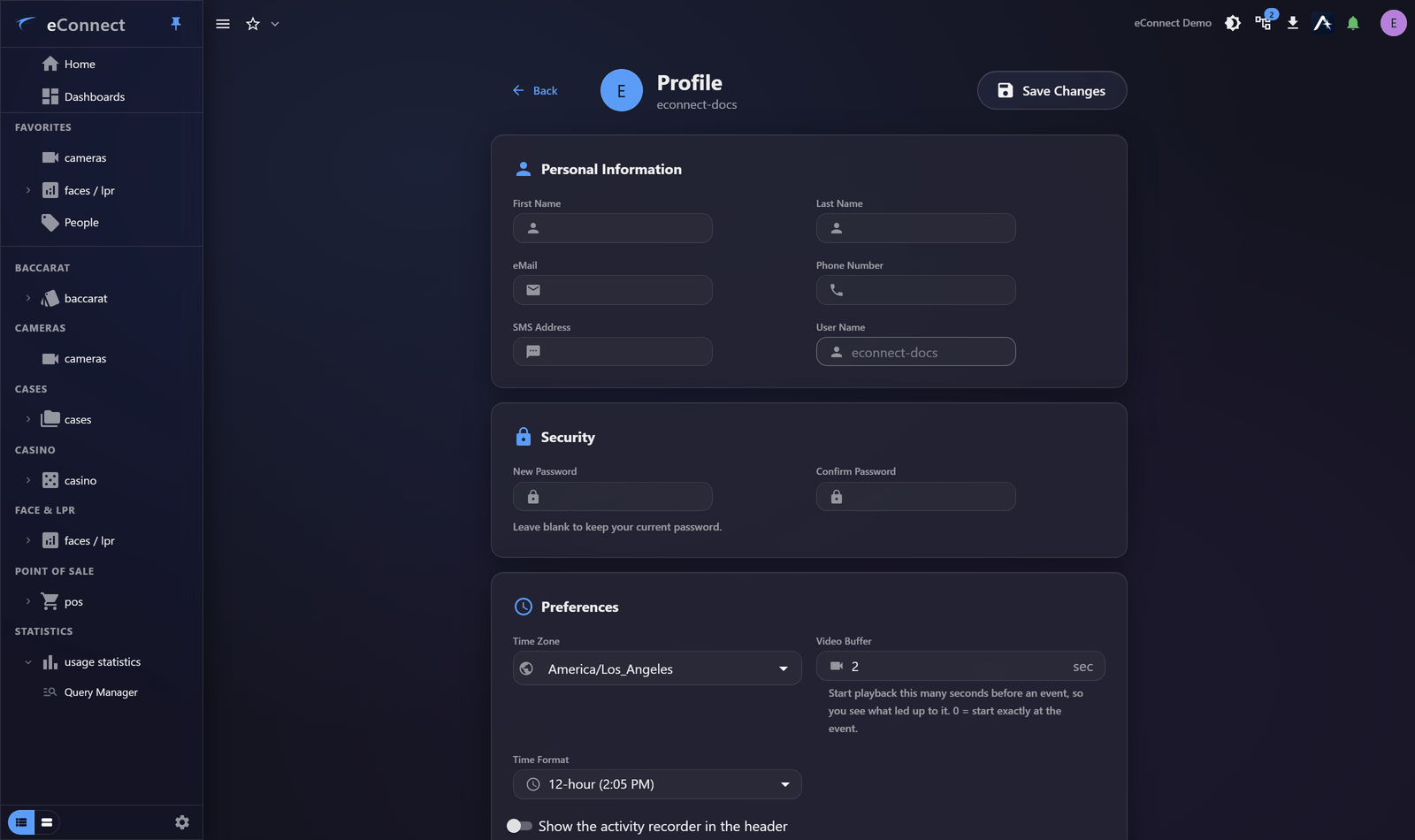
Everything here is yours to change. Administrators can also edit it, and the same fields appear on the administrative side — see The User List.
Your details
| Field | Notes |
|---|---|
| User Name | Your sign-in name |
| First Name, Last Name | Used wherever eConnect shows who did something |
| Where email alerts and scheduled reports are delivered | |
| Phone Number | Contact number |
| SMS Address | The address used for text alerts, usually a carrier gateway |
Keep the name fields accurate. They appear beside your actions in the audit trail and on anything you share, and a blank or wrong name makes reviewing history harder for everyone.
Changing your password
Set New Password and Confirm Password to change it. Your organisation may enforce minimum length, complexity and expiry, and repeated failures can lock an account — the rules are described in Passwords and Resets.
Display preferences
| Preference | Effect |
|---|---|
| Time Zone | The zone times are shown in throughout eConnect |
| Use 24 Hour Time | Show 14:30 rather than 2:30 PM |
| Video Buffer | How far before an event video starts playing |
Time Zone deserves care. Detections, transactions and alerts are recorded with real instants, and this setting decides how they are displayed to you — so an investigator in a different zone from the property they are reviewing sees the same events at different clock times to a local colleague. Set it to the zone you actually think in.
Video Buffer decides how much lead-in you get when opening video from an event. A few seconds of context before the moment is usually what makes the moment interpretable.
Alert delivery
| Setting | Effect |
|---|---|
| Email Alerts | Send alerts to your email address |
| SMS Alerts | Send alerts to your SMS address |
These control alerts leaving eConnect. How alerts behave inside the application — popups, sounds, auto-acknowledge, Auto-Follow — is separate, and covered in Alert Preferences.
Turning on email or SMS without a correct address in the fields above will silently deliver nothing, so set the address first.
What changing your profile records
Profile changes are administrative actions and are recorded in the audit trail under the user administration type, whether made by you or by an administrator on your behalf. See What eConnect Audits.