eConnect Core Manual
Everything eConnect Core does, one focused page at a time. Every page here answers a single question, so you can send someone a link that lands exactly on what they are stuck on rather than on a chapter they have to search.
Start here
New to eConnect, or new to version 11? These four pages get you working.
| Your First Ten Minutes | A guided tour that ends with a saved query and a dashboard |
| Signing In | Choosing a server and getting in |
| Anatomy of the Window | What everything on screen is for |
| What's New in 11 | If you are coming from version 10 |
Working with your data
The parts of eConnect you will use every day, whichever modules you have.
| Working With Data | Queries, grids, aggregation and export — the foundation everything else builds on |
| The Investigation Workspace | Collect an enquiry as you work, return to it later, share it with a colleague |
| Dashboards | Build a view of what matters and keep it in front of you |
| Alerts | What raises an alert, and what to do when one arrives |
Ask instead of search
| Ace | Ask questions of your own data in plain language, and get charts and evidence back |
| Semantic Search | Find people and vehicles by description — a red shirt, a purple hat, a red Honda Accord |
Your modules
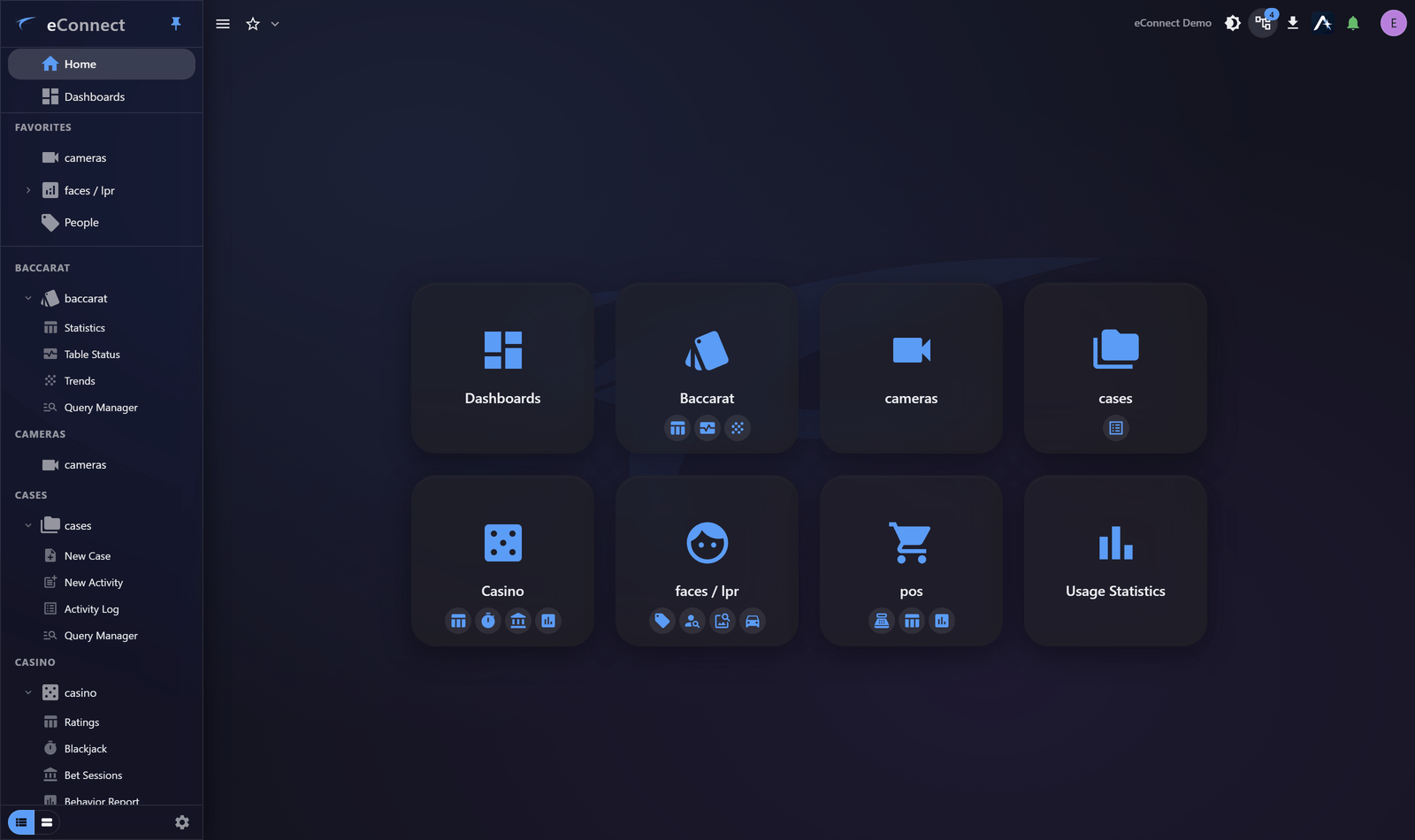
You will see the modules your organisation is licensed for and your permissions allow, so this list may be longer than the one in your navigation drawer.
| Cameras | Live video, playback, and exporting evidence |
| Faces and Plates | Recognising people and vehicles, subjects, tags and zones |
| Point of Sale | Transaction data and the behaviour it reveals |
| Cases | Gathering an incident into one record |
| Casino | Ratings, table games and floor operations |
| Baccarat | Table statistics, live status and trend roads |
| Usage Statistics | Who is using eConnect, and how |
Running eConnect
For administrators: people, permissions, policy and proof.
| Administration | Users, permissions, logical groups and system settings |
| What eConnect Audits | The record eConnect keeps and what you can prove with it |
| AI Configuration | Providers, models, token allowances and per-user limits |
| Session History | Every sign-in and every action, for one person |
Reference
| Audit Catalog | Every audited action and the exact text it records |
| Permission Keys | What each permission allows |
| Glossary | The terms eConnect uses |
| Troubleshooting | What to check first |
Looking for what changed in this release rather than how something works? See the eConnect 11.0 Release Notes. Coming from the older Windows client? Start with What's New in 11.