Faces and Plates
Recognising people and vehicles across your property, and keeping a record of who was where and when. The module appears in your navigation drawer as faces / lpr.
The two halves
Face recognition enrols people as subjects and matches detections against them. Licence plate recognition reads plates and matches them against known vehicles.
They share a structure, so learning one teaches you most of the other:
| Concept | Faces | Plates |
|---|---|---|
| The record | A subject | A plate profile |
| Finding one | Face Search or People | Plate search |
| Classifying | Face tags | Plate tags |
| A sighting | A detection | A detection |
The landing page
Opening the module gives you a summary rather than an empty frame: headline figures for Total Detections, the Top Subject, the Busiest Time and how many queries are active, a chart of detections per day, and ranked panels of the busiest subjects, tags and detectors.
It populates itself from a saved query, so it is worth treating as a dashboard you did not have to build: a glance says whether today looks like a normal day, and each panel leads into the data behind it.
Three ways to find someone
| You have | Use |
|---|---|
| A photograph | Face Search |
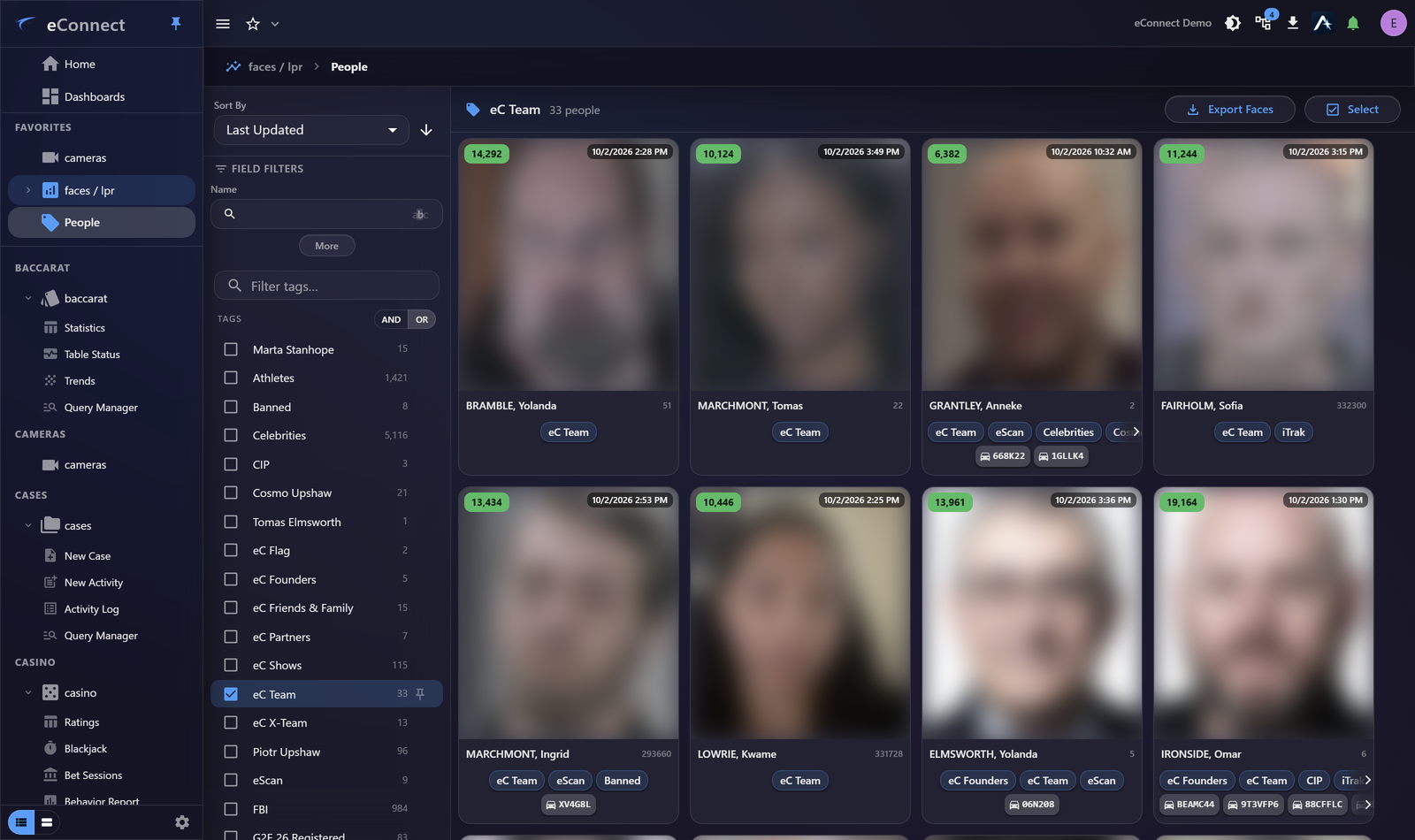
| A name, ID or tag | People |
| Only a description | Semantic Search |
The third is new in version 11 and does not need the person to be enrolled at all — it finds people by appearance. That makes it the right tool in the first hour of an incident, when a description is all anybody has.
What the module can tell you
Beyond identification, the surrounding data is often the point:
- Detections and zones — where somebody was seen, and how long they stayed
- Associations — who appears with whom
- PDF reports — a document for a case file
- Tags — classification, and what a tag triggers
Tags drive alerts
The most consequential thing in this module. Tagging a subject Banned is what turns a future detection into an alert.
That makes tag hygiene an operational matter rather than an administrative one: a tag applied too broadly produces alerts nobody acts on, which trains operators to ignore all of them.
Everything is recorded
Searching, editing subjects, managing photographs and generating reports are all audited. The full list is in the Audit Catalog.
Configuration
Detectors, zones, tags and alerts, bulk enrolment and general options are all under Module Settings.
Audit record
What eConnect writes to the audit trail for the actions on this page.
SEARCHED FOR FACE WITH IDENTIFICATION '{term}'
FACE SUMMARY PULLED FOR FACE '{subject name}'