The Investigation Workspace
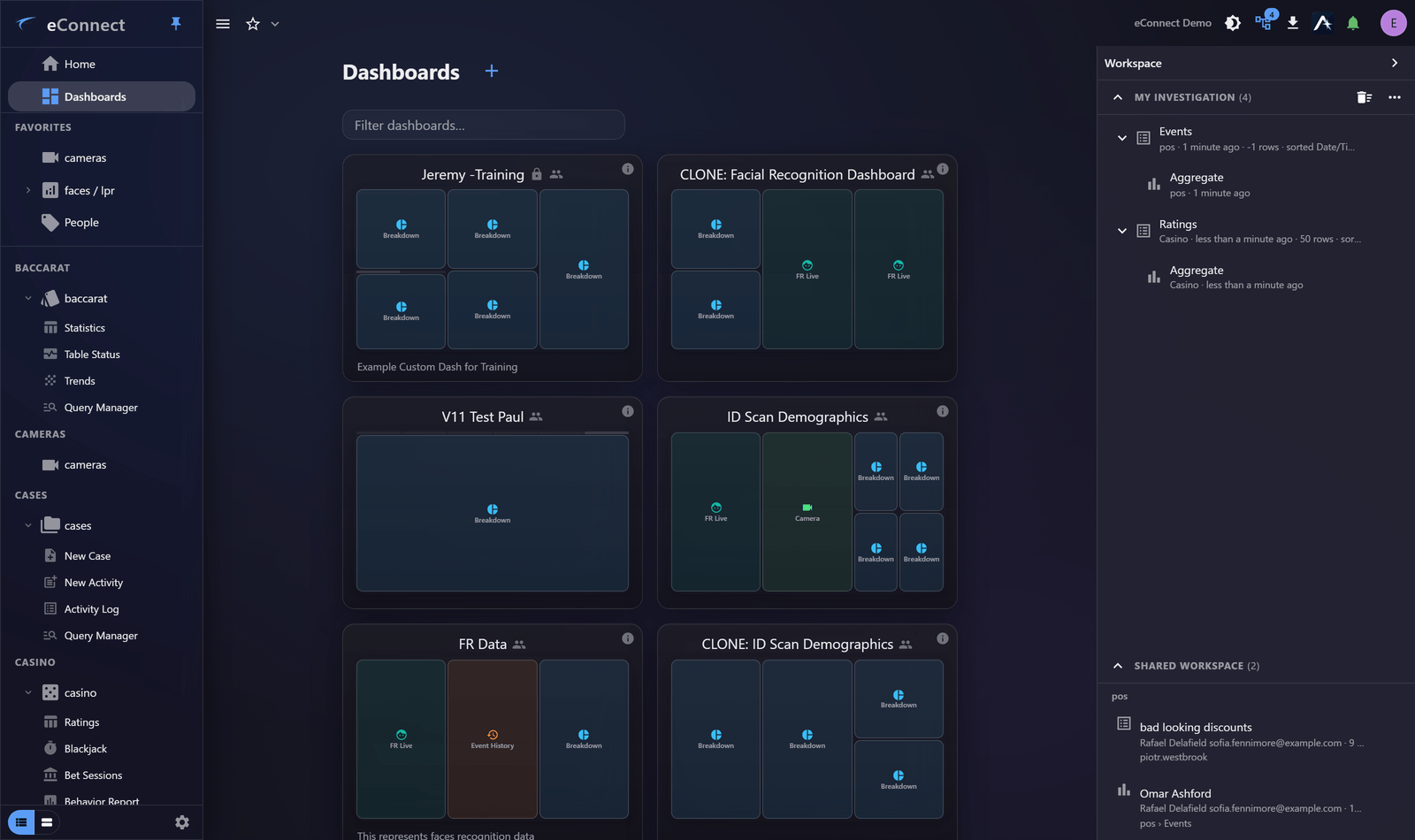
An investigation is almost never one query. You start with an alert, open the subject, follow a detection to a camera, jump to the transactions around that time, and end up somewhere you could not have predicted at the start. The Workspace records that path as you walk it, so the thread you built over an afternoon is still there tomorrow morning.
Nothing has to be saved for this to happen. As you drill from a grid into a detail, or from an aggregate into the rows behind it, eConnect adds a node to your workspace automatically. What you get is not a list of pages you visited but a tree that mirrors how the investigation actually branched.
What it is for
Three problems the Workspace exists to solve:
- Losing your place. Close eConnect at the end of a shift and the enquiry you were halfway through is still assembled when you come back. Each node restores the view it captured, not just the address.
- Explaining your reasoning. A colleague who receives a shared workspace gets the whole line of enquiry — the queries, the filters, the drill-downs — rather than a screenshot and a paragraph.
- Working two things at once. Because the panel occupies layout rather than floating over the page, you can read the tree and the grid it came from at the same time.
How it fits together
| Part | What it does |
|---|---|
| My investigation | Your own tree, built automatically as you work. See The Workspace Tree. |
| Favorites | Steps you starred: saved to your account, listed in the drawer, waiting on any machine you sign in on. See Adding and Starring Items. |
| Shared workspace | Items other people have shared with you. See Workspaces Shared With You. |
What is captured
A node is created when you move somewhere that represents a new step in the enquiry — drilling into a grid, opening a record, following an aggregate slice to its rows. Simply moving between top-level pages does not clutter the tree, and returning to somewhere you have already been reactivates the existing node rather than adding a duplicate.
Each node stores the address it came from, a short summary of what was on screen — something like
461 rows · 1 filter · sorted Avg bet ↓ — and, where the view supports it, a thumbnail and enough
presentation state to put the page back the way you had it.
The tree in My investigation is private to you and to the computer you are working on. It is not visible to administrators and is not part of the audit trail. Sharing is always a deliberate act — see Sharing a Workspace.
Where to go next
- Opening the Workspace Panel — where it lives and how it shares space with Ace
- Adding and Starring Items — keeping what matters and clearing what does not
- Restoring a Workspace — picking an investigation back up
- Sharing a Workspace — handing an enquiry to a colleague