Ace
The assistant answers questions about your own data, in plain language. Not a general-purpose chatbot with opinions about your industry — a way to ask your live system what happened, and get back the figures, the chart and the records behind them.
Open it from the title bar. It is available in every module and knows which one you are in — the same button appears wherever you are working, as a standing reminder that you can ask rather than navigate.

What you can ask
Questions you would otherwise build a query for:
- Which register had the most voids last night?
- Which subjects visited more than three times this week?
- How did table 4 perform across the swing shift?
- Show me plate detections at the north entrance after 22:00.
And questions about the system itself, if your permissions extend that far — who has been signing in, which modules are being used.
Starting from a question somebody already wrote
A new chat opens on a list of starter prompts — questions written by people at your site and grouped by module. Click one to send it, or the pencil beside it to load it into the composer and change the period or the location first. See Starter Prompts.
What comes back
Rarely just a paragraph. The assistant answers with the format that fits the question:
| Format | When |
|---|---|
| Table | A set of records you want to read or export |
| Chart | A comparison or a trend — see Charts and Rich Blocks |
| Photo gallery | Subjects, detections or plates |
| Camera cards | Cameras it found, ready to open |
| Diagram | A relationship or sequence worth drawing |
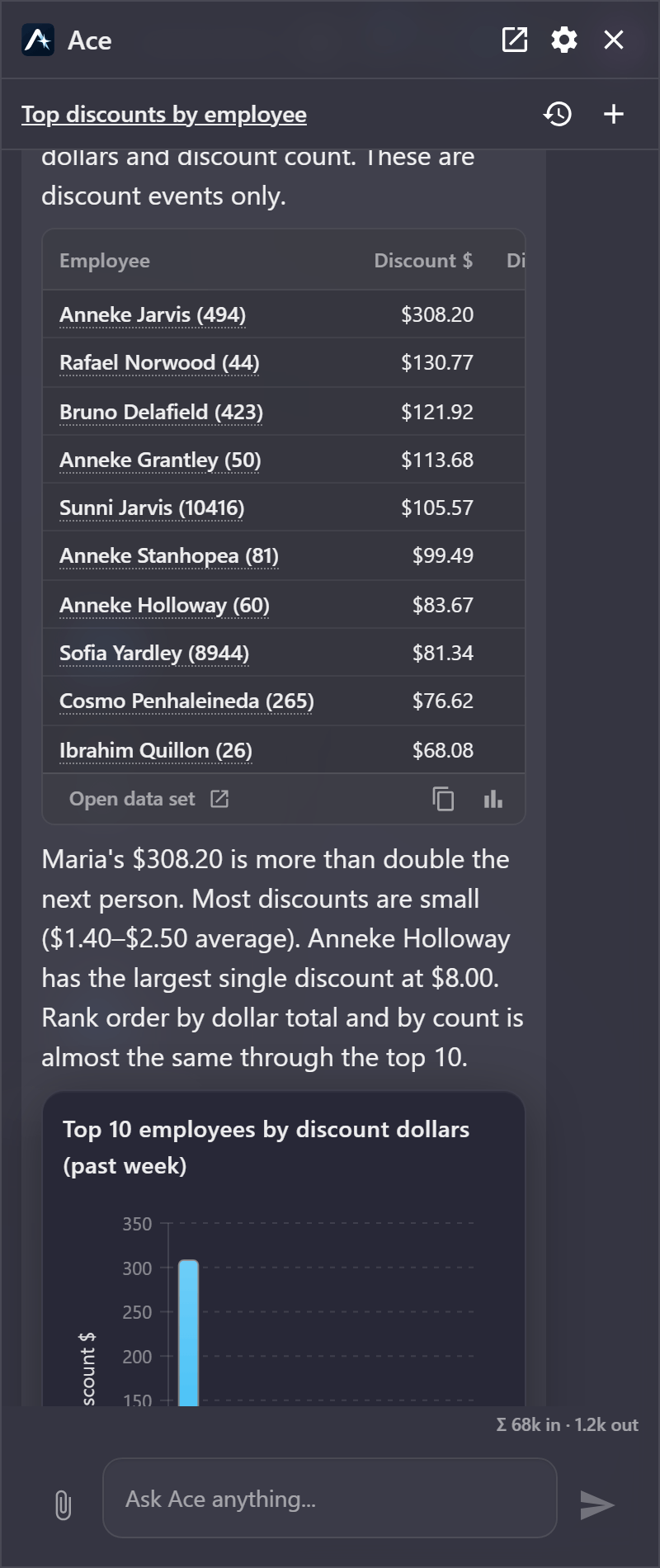
Every answer is a starting point rather than an endpoint. Rows carry links back into the grid or receipt they came from, so a figure you want to check is a click rather than a second search — and the link carries the same filter the figure was calculated under. Open the evidence behind a figure, pin a chart to a dashboard, or carry the finding into a report.
What it can reach
The assistant reads your data through a defined set of capabilities — around seventy of them, spread across the modules. Face and plate data has the widest coverage, followed by casino and point of sale, with cameras, usage statistics and navigation making up the rest.
The full picture is in What Ace Can Reach.
What it cannot do
Worth being clear about, because it shapes how you use it:
- It cannot see what you cannot see. Every answer is bounded by your permissions and your licensed modules. Two people asking the same question can legitimately get different answers.
- It does not change your data. It reads. It can produce a report or send an email at your request, and it will ask before sending.
- It is not a substitute for the query builder when you need an exact, repeatable, saveable definition. Ask the assistant to explore; build a saved query to operationalise.
Getting good answers
The assistant is better with specifics. "Voids on register 4 between 20:00 and 23:00 last Friday" beats "any problems recently", because the first names a measure, a subject and a period.
If an answer looks wrong, say so in the same conversation — it keeps the thread and can correct course without you restating everything.
Where to go next
- Using the Chat — asking, following up, steering an answer
- Images and Attachments — asking about a photograph
- Faces and Plates in Chat — running a real face search from an image
- What Ace Can and Cannot See — the permission model
- AI Configuration — for administrators