Point of Sale
Transaction data from your registers, and the behaviour it reveals. The module answers two kinds of question: what happened on this check? and is this employee unlike their colleagues?
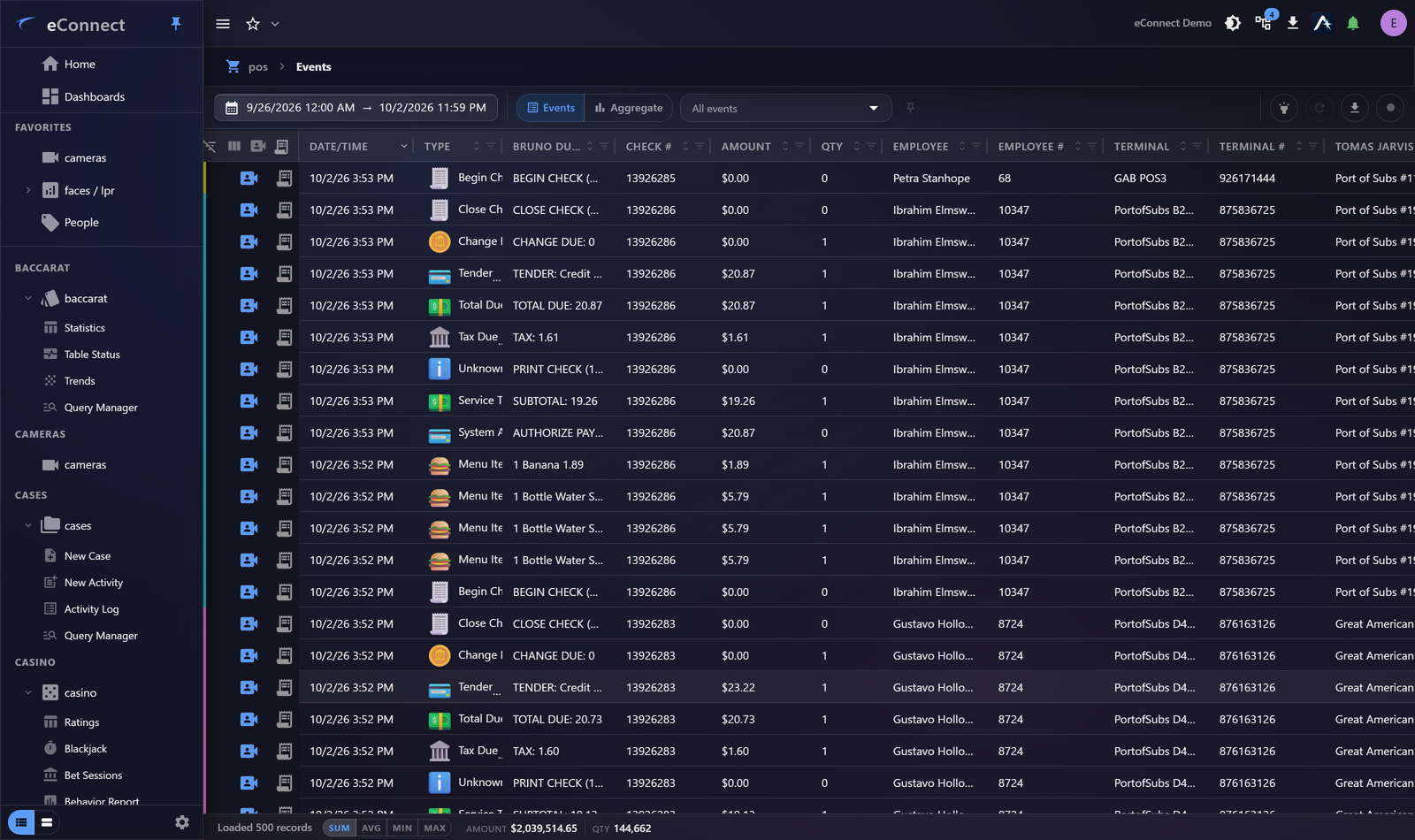
The views
| Events | The transaction event grid |
| Receipts and Tickets | One check, line by line |
| Linear View | A register through time |
| Statistics | Totals and trends |
| Behaviour Report | Employees compared against their peers |
| Entity Setup | Naming registers, staff and revenue centres |
Exceptions, not transactions
Almost nothing useful comes from reading transactions. What matters is the exception: the void that should not have happened, the discount larger than policy allows, the refund with no corresponding sale.
So the useful pattern is nearly always the same:
- Query the period.
- Aggregate by employee, register or revenue centre.
- Chart it, and find the outlier.
- Drill into the outlier.
- Open the receipt, then the video.
That last step is what distinguishes eConnect from a reporting tool: the transaction reaches the footage.
Transactions reach video
Following a check to the camera that overlooks its register depends on associations being configured. Where they are, a suspicious void is one click from the recording of it.
Where they are not, this module is a reporting tool and the most valuable thing about it is missing. It is worth checking.
Naming matters more than usual
Registers, employees and revenue centres appear on every result. Where they are named after hardware or numbers, every query is harder to read and every report needs translating.
See Entity Setup.
Audit record
What eConnect writes to the audit trail for the actions on this page.
QUERY 'POS Events' FROM {start date} TO {end date}; VIEW: 'Events' PAGE {page};