Associations
Associations link modules so a record in one leads to related records in another — a camera to the register it overlooks, a detector to the table it watches.
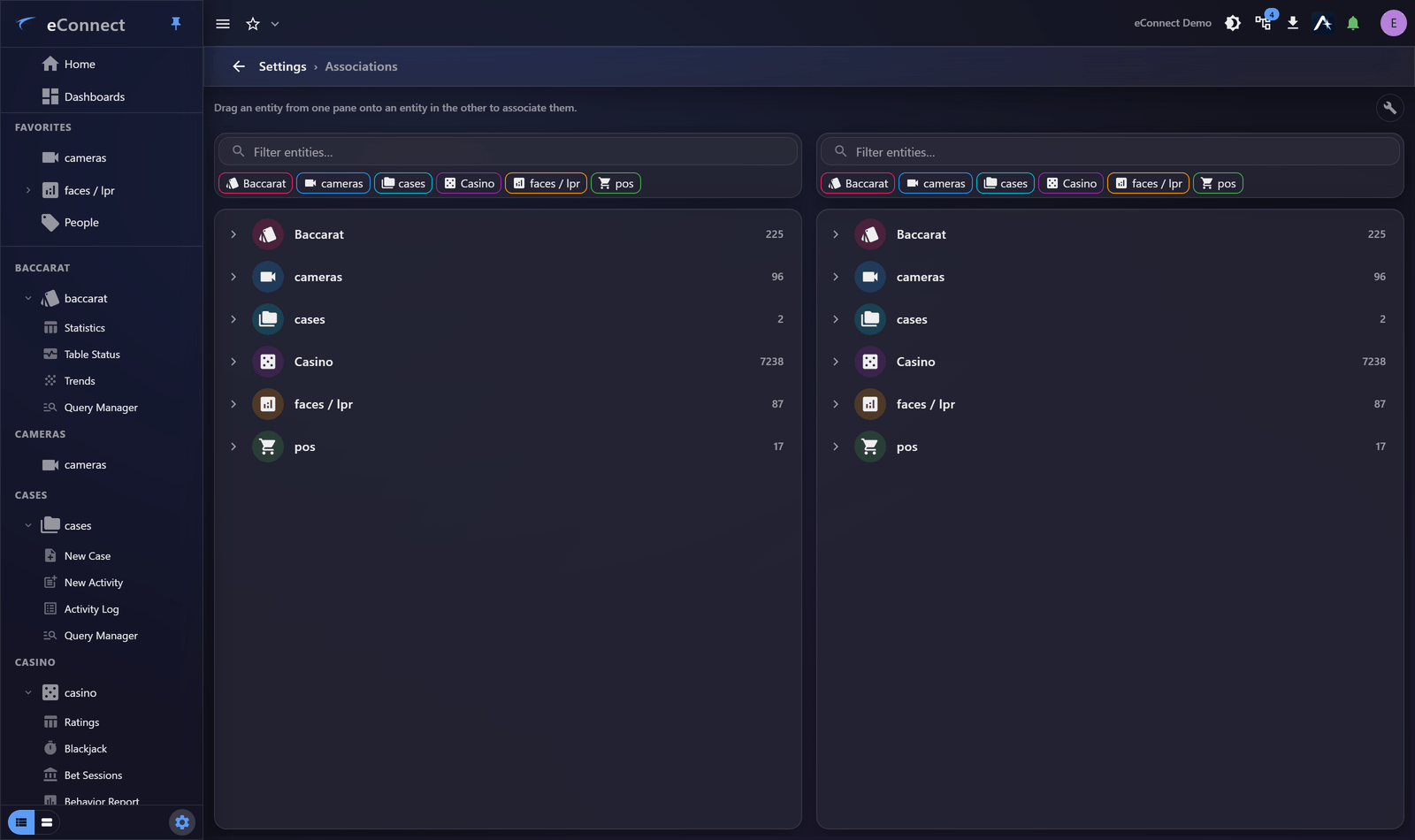
Settings ▸ Administration ▸ Associations manages them.
Why they matter
Without associations, each module is an island. With them, eConnect can answer the question people actually have: "show me the video for this transaction."
That single capability is what turns a point-of-sale exception into an investigation. The association is what lets a check number reach a camera.
What gets associated
Typically a physical relationship — one thing overlooks, covers or corresponds to another:
| Association | Enables |
|---|---|
| Camera → register | Video for a transaction |
| Camera → table | Video for a rating or game |
| Detector → location | Detections placed on a map or in a zone |
| Camera → door or entrance | Video for an access event |
Getting them right
Associations describe physical reality, so build them from the floor rather than from a list of device names.
Two practical points:
- A camera can be associated with several things, and usually is — one camera overlooking three registers should be associated with all three.
- Coverage matters more than proximity. Associate the camera that actually sees the register, not the nearest one.
Wrong associations are worse than none: an operator following a transaction to video and finding the wrong angle wastes time and loses confidence in the link.
Doing it in bulk
Two tools save the work of associating a property one camera at a time:
- Auto-Associate proposes associations from what the names already have in common, so a site whose cameras and registers follow a naming convention is largely associated in one pass.
- Remove associations clears them in bulk, which is what you want after a renumbering or a change of supplier rather than unpicking each one.
Read what Auto-Associate proposes before accepting it. A convention that is nearly consistent produces associations that are nearly right, and a wrong association sends an investigator to the wrong camera.
Keeping them current
Associations go stale silently. A camera repositioned, a register moved, a table re-numbered — the association survives and quietly points somewhere wrong.
Review them when physical changes happen, and spot-check occasionally: pick a recent transaction, follow it to video, confirm you see what you should.
Where they show up
Once configured, associations appear throughout — associated cameras on a detection, video beside a transaction, related records on a subject. Users generally never think about them; they simply find that following a record to its footage works.
They also reach Ace, which can look up a camera's associations when answering.
Permissions
Managing associations needs the plugin association keys. Seeing the results of an association needs permission for both modules — someone without the camera module will not get video from a transaction however the association is configured. See Permission Groups.
What is recorded
Adding and removing associations is audited under the administration types, so a link that turns out to be wrong can be traced to when it was made. See Reading the Audit Trail.