The Settings Area
Settings is reached from the title bar and is organised into four sections, each a set of tiles.
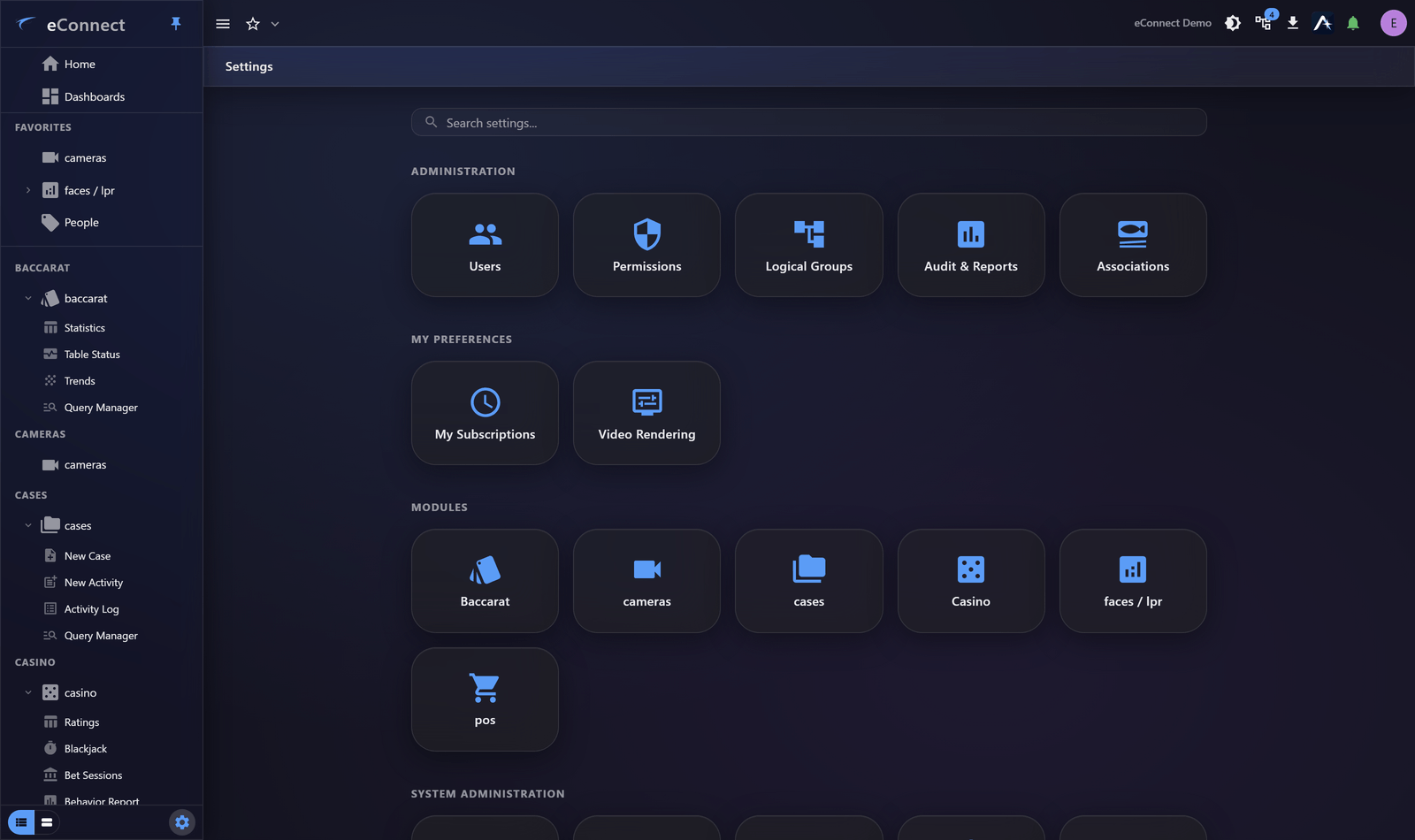
The four sections
| Section | Contains |
|---|---|
| Administration | Users, Permissions, Logical Groups, Audit & Reports, Associations |
| My Preferences | Your own settings — subscriptions, video rendering |
| Modules | One tile per installed module with settings of its own |
| System Administration | Alerts, Company Logo, Email, Security, Tenants, Ace |
The division that matters is My Preferences versus everything else: those settings affect only you, while the rest affect other people.
Search rather than hunt
Settings has a search box, and it matches on what a setting does as well as what it is called. Searching password finds the security page; searching smtp finds email; searching token finds AI allowances.
Use it. It is consistently faster than remembering which of four sections a tile lives in.
Why you may see fewer tiles
Every tile is gated by permission, and you see only those you hold rights for. A colleague's Settings legitimately looking different from yours is normal.
Some tiles also depend on what is installed — Video Rendering appears only where you have a camera module, because it has nothing to act on otherwise.
If a tile you need is missing, it is a permissions question rather than a fault. See Permission Groups.
Module settings
Each installed module with configuration of its own gets a tile under Modules. Those settings belong to the module and are documented with it — for example Faces and Plates module settings covers detectors, zones, tags and bulk enrolment.
Changes take effect for everyone
Outside My Preferences, a change affects other users, sometimes immediately and sometimes at their next sign-in.
Two habits worth having:
- Change one thing at a time when adjusting security or alert behaviour, so an unexpected effect has an obvious cause.
- Tell people first when changing something they will notice — a shortened session timeout discovered by surprise generates support calls.
What is recorded
Administrative changes are audited under the administration types — general, user, settings, permissions and user groups. So a setting that changed can be traced to who changed it and when. See Reading the Audit Trail.