Settings ▸ System Administration ▸ Email configures the mail relay eConnect sends through. Everything eConnect emails — alerts, scheduled reports, messages Ace sends on a user's behalf — goes through it.
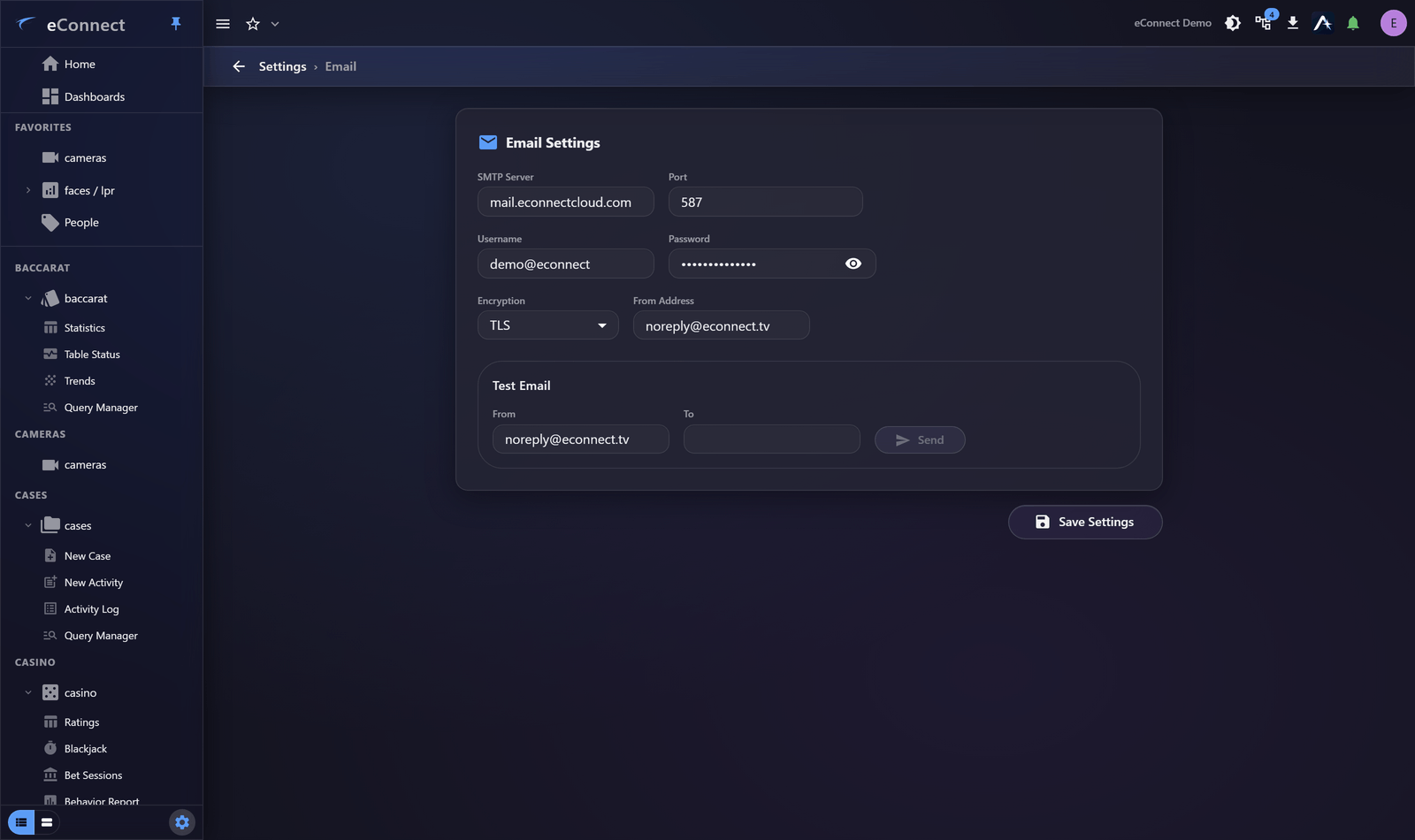
What to configure
| Setting | Notes |
|---|---|
| Server | The SMTP host |
| Port | Usually 587 for TLS, 25 unencrypted internally, 465 for implicit SSL |
| Encryption | TLS or SSL, matching what the server expects |
| Credentials | Where the relay requires authentication |
| From Address | What recipients see as the sender |
Choose the From address carefully
It appears on every alert and report eConnect sends, and it is what people reply to.
Use a monitored address, or one whose auto-reply says where to go instead. A noreply@ address that
silently discards replies means somebody responding to an alert email is talking to nobody — which
they will not discover until it matters.
Test it
Send a test message after any change, and confirm it arrives rather than merely that eConnect reports success. Delivery can fail well after the relay accepts a message.
Check the spam folder on the first test. Mail from a new sender is frequently filtered, and it is far better to discover that during setup than when an alert goes unnoticed.
What stops working without it
- Email Alerts to users who have them enabled — see Preferences and Notifications
- Scheduled reports — see Subscriptions and Scheduled Reports
- Assistant emails — see Reports and Email
All three fail quietly from the user's point of view: the alert is raised, the report is generated, and nothing arrives. If people report missing notifications, this page is the first place to look.
Common causes of failure
| Symptom | Usually |
|---|---|
| Nothing sends at all | Wrong host or port, or the relay is refusing eConnect |
| Sends but never arrives | Rejected downstream, or filtered as spam |
| Works internally, not externally | The relay is not permitted to send outside |
| Worked, then stopped | Credentials expired, or a security policy changed |
Most relays require the sending server to be explicitly permitted. If your mail administrator has not been told eConnect will be sending, that is usually the cause.
Recipients see the whole message
An emailed report leaves eConnect's permission system entirely. Whoever receives it can read all of it, regardless of what they could see in the application.
That is worth remembering when configuring subscriptions with several recipients.
What is recorded
Changes here are audited under the settings administration type. Emails the assistant sends on a user's behalf are audited separately, so there is a record of what left the system and who asked for it. See What eConnect Audits.