Security Policy
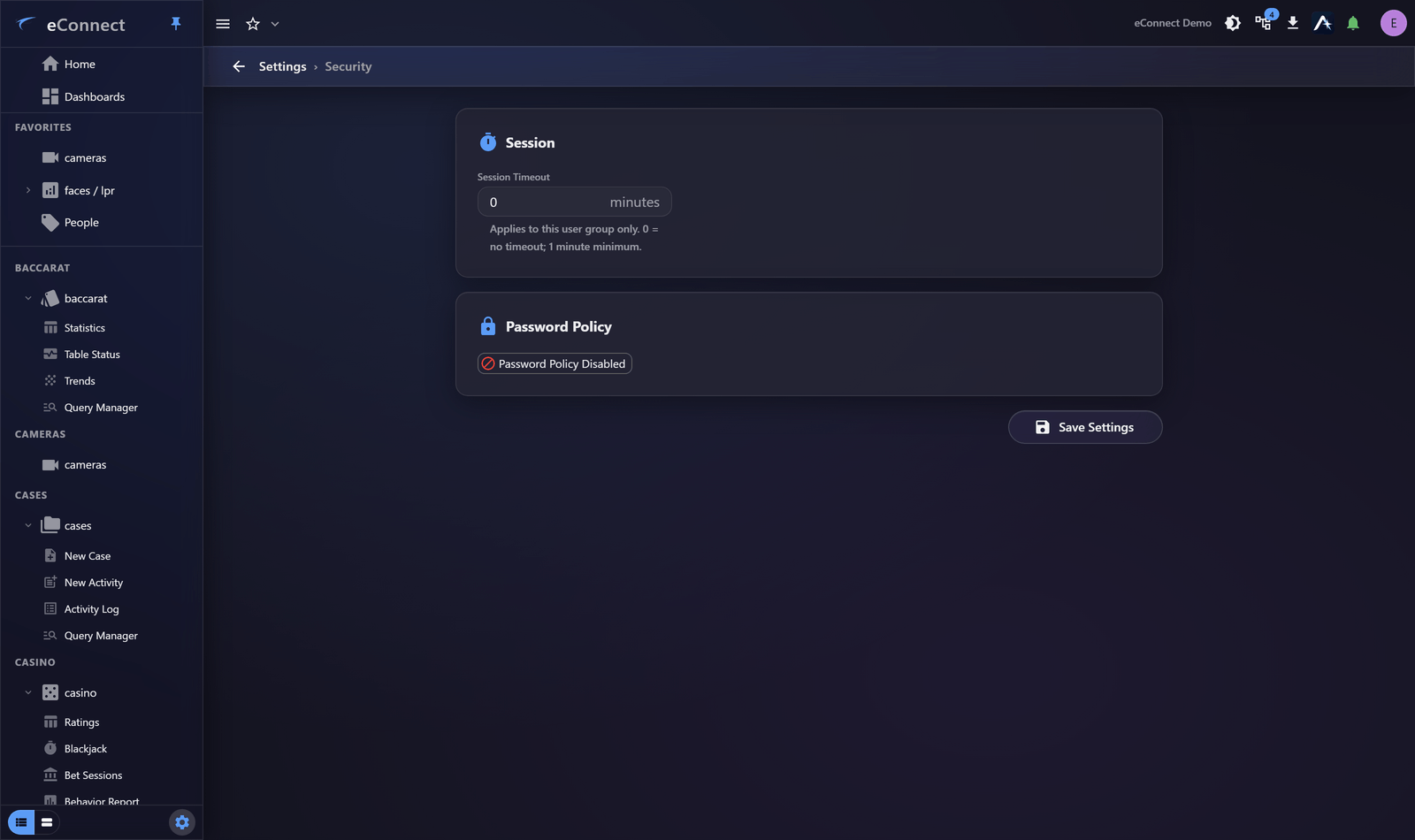
Settings ▸ System Administration ▸ Security holds session timeout and password policy. Both apply to everybody, so change them deliberately.
Session timeout
Session Timeout sets how long a session may be idle before the user is signed out, in minutes, for this user group only.
| Value | Effect |
|---|---|
| 0 | No timeout |
| 1 or more | Sign out after that many idle minutes |
The minimum that does anything is one minute; a fractional value is rounded down. Users get a thirty-second warning before being signed out, and only Stay Signed In extends the session — typing behind the dialog does not. See Session Timeout and Signing Out.
Because it is per user group, different groups can have different timeouts — which is how a permanent wall display gets no timeout while ordinary staff get a short one. Watching video does not count as activity, so a display without a zero timeout will sign itself out overnight.
Password policy
The policy can be enabled or disabled as a whole. When enabled:
| Setting | Effect |
|---|---|
| Minimum Complexity | Which character classes a password must contain |
| Minimum Length | The shortest acceptable password |
| Lockout After | Failed attempts before the account locks |
| Lockout Duration | How long a lock lasts |
| Password Expires After | Days before a change is required; 0 never expires |
These apply to passwords eConnect holds. Accounts authenticated against a directory service are governed by the directory's own policy instead.
How passwords are stored
Passwords are held as PBKDF2-SHA256 hashes. An account created or signed in on version 11 is stored that way; an older hash is upgraded the next time that person signs in successfully, so the estate converts itself as people work rather than needing a reset campaign.
There is one action worth taking deliberately. Version 11 no longer seeds a default administrator account on a fresh installation. On a system upgraded from an earlier version, any seeded account that is still present and still carries its original password should be retired or given a password of its own — it was created from a value that was the same on every installation.
Setting sensible values
Length beats complexity. A long passphrase is both stronger and easier to remember than a short password with mandatory symbols, which tends to produce predictable substitutions written on a note.
Lockout should stop attacks, not staff. A handful of attempts with a lockout of minutes stops guessing without generating a support call every time somebody mistypes.
Expiry is often counterproductive. Forced frequent rotation tends to produce weaker, more predictable passwords. Current guidance favours long passwords that do not expire, changed when there is reason to. Whichever your organisation requires, apply it because it was decided rather than by default.
What version 11 hardened
Most of this is not configurable; it is worth knowing because it changes what you need to arrange yourself.
| Area | What changed |
|---|---|
| Passwords | PBKDF2-SHA256 with per-password salt, upgraded on sign-in; no seeded default administrator |
| Certificates | Outbound TLS certificates are validated by the server and the desktop client, rather than accepted unconditionally |
| Encryption keys | Each deployment holds its own key, stored in the core database so every server sharing it agrees, rather than one key compiled into the product |
| Saved credentials | A remembered password is kept in the operating system's secure storage, not in the browser's local storage |
| The desktop client | Runs sandboxed, under a content security policy, and will not navigate itself anywhere outside the application |
| The API | User endpoints are authorised individually, credentials are never returned in user data, and the anonymous part of the v2 API is fixed and tested |
Certificate validation is the one that can surface as a change in behaviour: a server or camera presenting a certificate that does not match its address, or one signed by an authority the machine does not trust, is now refused where it used to be accepted. That is the point of the change, but it is worth checking your own certificates before an upgrade rather than during one.
Before you change anything
Both settings are felt immediately by every user.
- Shortening a timeout without telling anyone produces a wave of confused reports.
- Tightening password rules applies at the next password change, so the effect is gradual and arrives without context unless you explain it.
Change one thing at a time, and tell people first.
Related
- Passwords and Resets — resetting an individual password
- Session History — where failed sign-ins and lockouts are visible
- Signing In — the user's view
What is recorded
Changes here are audited under the settings and user-group administration types, so a policy change can be traced to who made it. See Reading the Audit Trail.