Behaviour Report
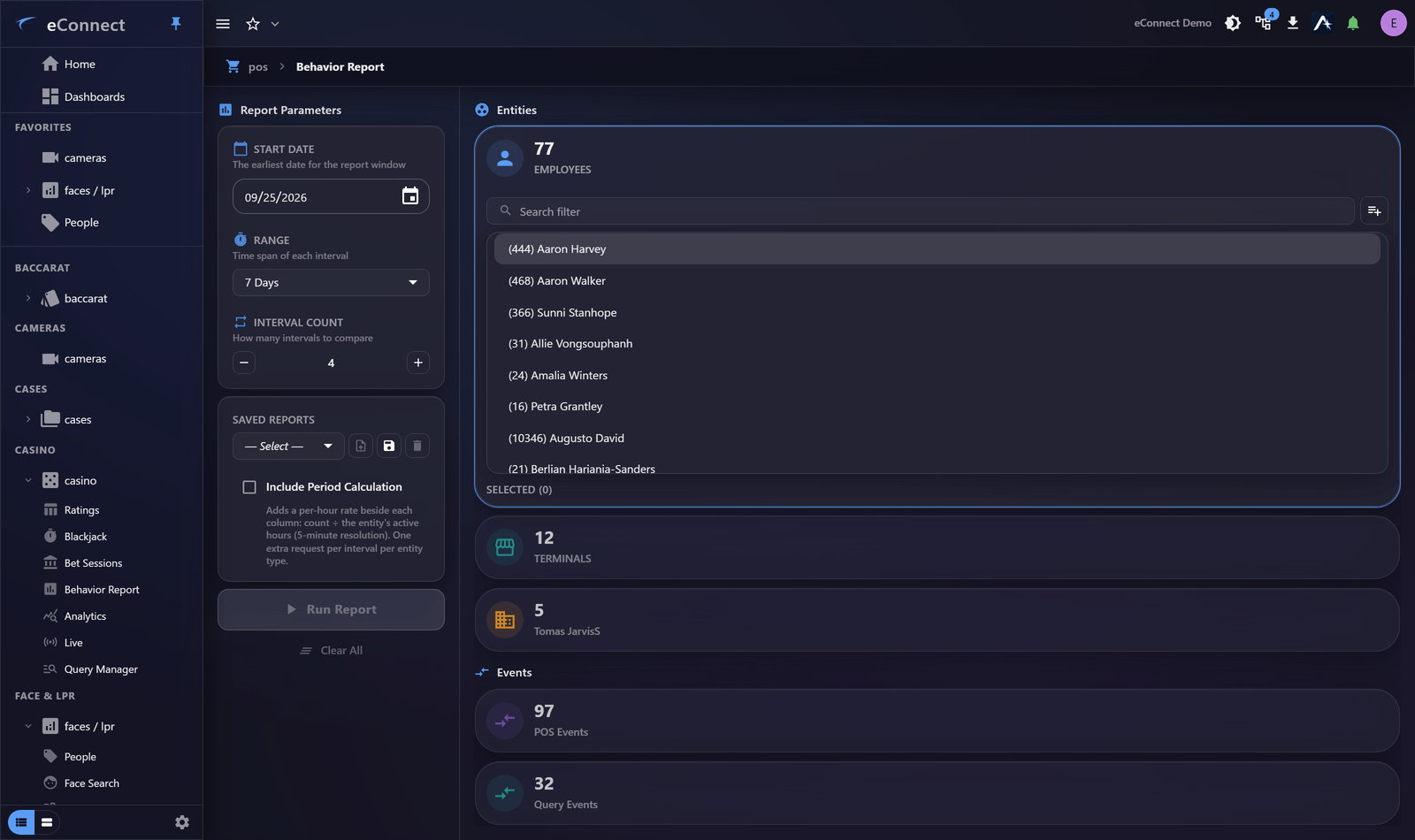
The Behaviour Report compares employees against their peers on the measures that matter — voids, discounts, refunds, no-sales — and does the normalising for you.
What it does differently
Statistics will tell you an employee had forty voids. The Behaviour Report tells you whether forty is unusual for somebody doing their job in their period.
That distinction is the whole value. Raw totals track how busy somebody was; the report is built to surface people whose rates differ from their colleagues'.
Running one
Choose the period and the population to compare. A meaningful comparison needs:
- Enough time. A single shift is noise. A month gives rates that mean something.
- A comparable group. Compare a bar against bars, not against a restaurant.
- Enough transactions per person. Somebody who worked twice has no rate worth reading.
Reading it
Look for people who stand out on several measures rather than one. An employee with the highest void rate and the highest discount rate and the most no-sales is a much stronger signal than someone who leads on one.
A single high measure has ordinary explanations — a difficult section, a new starter, a register with a fault. A consistent pattern across measures does not.
What it is and is not
The report identifies people whose figures differ from their peers'. It does not establish why, and difference is not misconduct.
New employees make more mistakes. Some sections generate more voids. A broken register produces anomalies that look like behaviour. Treat an outlier as a reason to look, never as a conclusion — and look at the video and the receipts before forming a view.
Used well, the report clears people as often as it flags them: an anomaly with an obvious innocent explanation, established quickly, is a good outcome.
From the report to the evidence
Drill into a person to see the transactions behind their figures, then the receipt, then the footage. The report tells you where to look; the recording tells you what happened.
Doing it fairly
Two practices worth adopting:
- Apply the same period and population to everybody. Comparing one person's bad month against everyone else's year finds an outlier that is not there.
- Record what you concluded. Note it on the Workspace node or in a case, including when you concluded there was nothing in it.
Elsewhere
The Casino module has its own Behaviour Report applying the same idea to dealers and tables.
What is recorded
Generating the report is audited — Behavior Report (type 101), written server-side. See the Audit Catalog.