Ratings
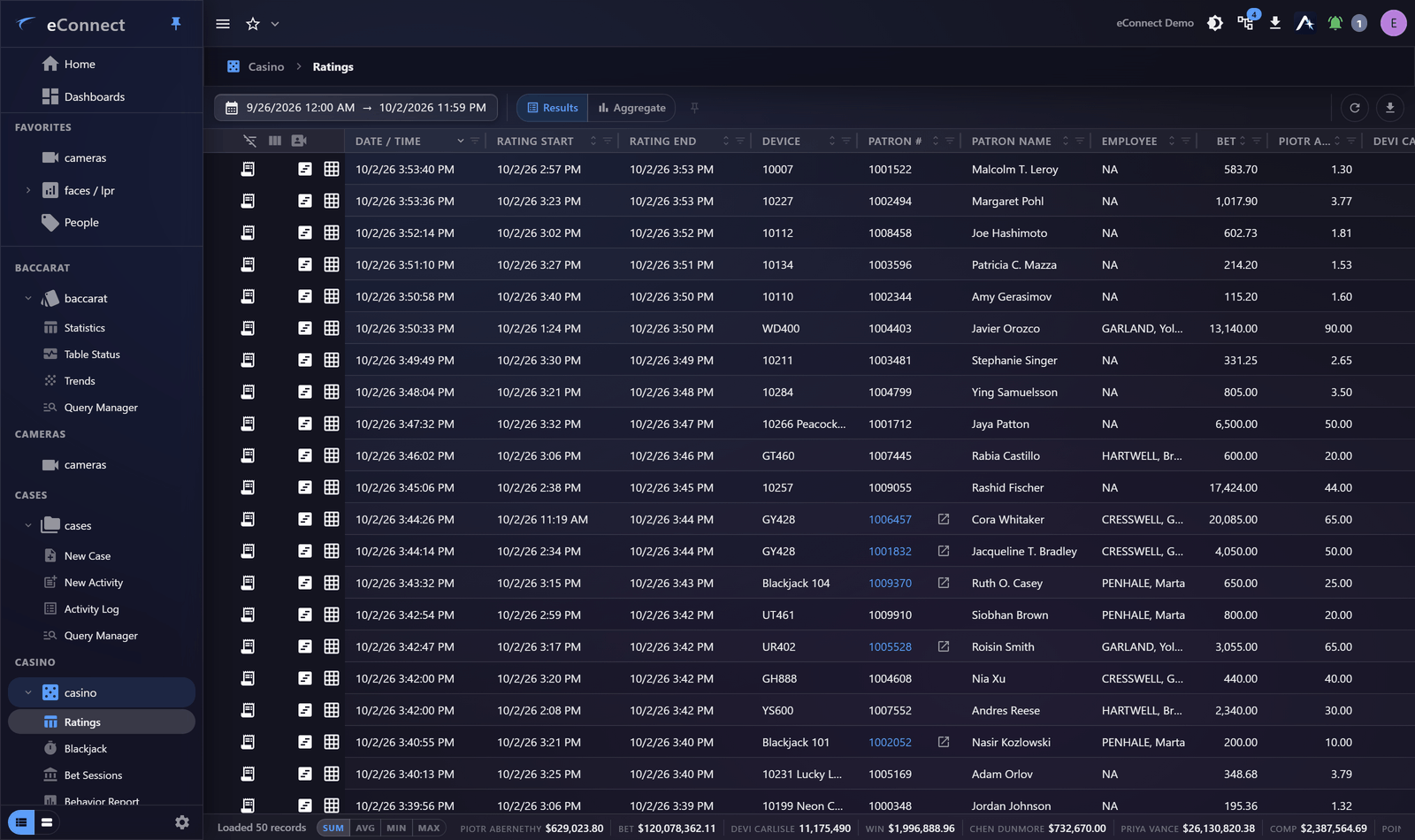
Ratings record how a player played: buy-in, average bet, time at the table and the theoretical value that follows from them. They are the basic unit of player analysis.
Rating groups
Individual ratings are grouped so a player's session reads as one thing rather than as several fragments. Where a player moves between tables, or a rating is split across a shift change, the group is what holds the session together.
Read the group when you want the session; read individual ratings when you want the detail of one period of play.
Reading the columns
Average bet, time played, and the theoretical value derived from them are what most decisions rest on. Two habits are worth having:
- Check the time played. A high average bet over four minutes and over four hours mean very different things, and the derived value depends entirely on which it was.
- Compare against the player's own history, not only against the table. A player rated far above or below their own pattern is the interesting case.
From a rating to the play
Ratings carry the table and the period, so they lead to the footage of the play they describe. Opening video from a rating, or from a timestamp in the rating detail, is how you confirm a rating matches what actually happened.
This action is recorded in the audit trail.
Rounds behind the figure
Where a rating references actual rounds of play, those can be opened directly — the gaming round data behind the summary. That is the level to go to when a rating is disputed, because it is where the figure came from.
Only the rows you can watch
The grid tools carry a Show only rows with video toggle, as the point-of-sale grids do. With it on, the grid keeps the ratings a camera covered and hides the rest.
That is the right starting point when the job is to watch rather than to count: there is no value in reading a row you cannot corroborate. Turn it off again before you total anything, because a filtered grid is a filtered total.
Faces on the floor
Where face recognition is configured, a rating can carry the recognised subject, linking play to a person and their history across the whole property rather than to a player number.
Exporting
Ratings export as CSV or as a PDF report. See Exporting Data.
Related
- Bet Sessions — the sequence behind the summary
- Player Appraisal — recording a view about a player
- Analytics — ratings aggregated across tables and periods
Audit record
What eConnect writes to the audit trail for the actions on this page.
CAMERA '{camera name}' PLAYBACK @ '{local start time}'