The Device Tree
The device tree lists your cameras, organised into groups. On a site with hundreds of devices it is the difference between finding a camera and hunting for one.
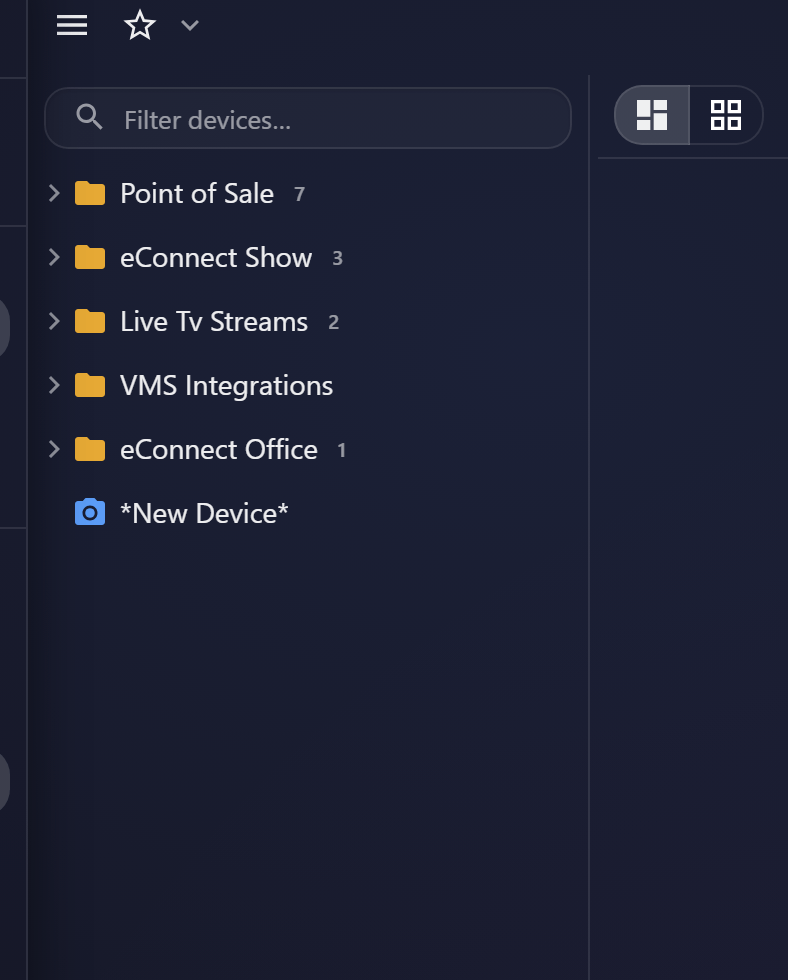
Finding a camera
Filter devices… matches as you type. Because camera names are the only thing you have to search on, naming matters enormously — a device called North Entrance — Interior is findable, one called CAM-047 is not.
If your cameras are named after hardware rather than places, that is worth fixing once. Everyone who uses eConnect pays the cost of poor names every day.
Groups
Cameras are organised into groups, which usually mirror physical areas — a building, a floor, a department. Expand a group to see what is in it.
Groups can be renamed, and a well-maintained group structure does two jobs beyond navigation:
- It is what logical groups select on, so a group is the natural unit for "this team sees the north building".
- It keeps working as cameras are added, where a list of individual devices does not.
Opening a camera
Select a camera to open it. From the tree you can also drag a camera into the video grid, which is how a multi-camera view gets assembled.
Cameras opened this way are audited like any other viewing.
This action is recorded in the audit trail.
Which cameras you see
The tree shows cameras your permissions allow and any logical group includes, and it leaves out devices that have been disabled.
So a camera missing from your tree is scope, or a disabled device, rather than a fault — worth checking in that order before raising it.
Getting to a camera from data
Often faster than the tree: follow a detection, transaction or alert to its associated cameras. See Associations.
Audit record
What eConnect writes to the audit trail for the actions on this page.
CAMERA '{camera name}' LIVE