Table Status
The table status board is the live surveillance view: every baccarat table, its current shoe and how it is running, on one screen.
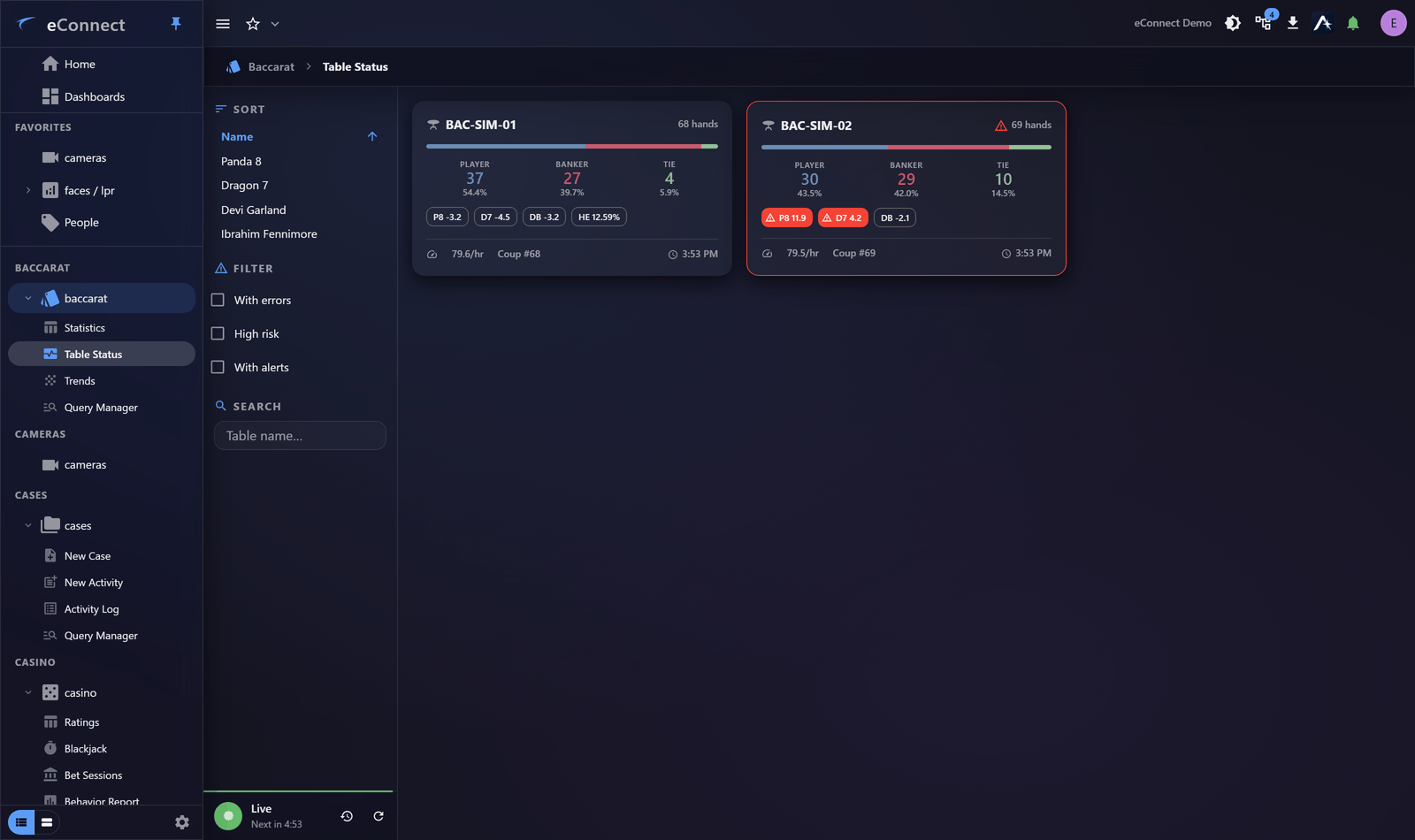
What it shows
Each table with its current state, the shoe in play and its trend. The board is designed to be read at a glance rather than studied — which is the right design for something watched continuously.
Auto-refresh keeps it current with no interaction, so it suits an unattended display.
Reading it
You are looking for the table that is not like the others: an unusual streak, a table far busier or quieter than its neighbours, a state that has not changed when it should have.
Once you know what a normal evening looks like, the exception stands out without reading detail.
Card view
Where the board offers a card view of a shoe, that is the level to go to when a table warrants closer attention — the individual outcomes rather than the summary.
Filtering
Filter to the tables the person watching is responsible for. A board carrying every table in a large property is harder to read than one carrying eight, and the point of the view is glanceability.
Live, paused or history
A strip along the bottom of the rail says what the view is doing, in one place:
| State | What it means |
|---|---|
| Live | Polling, with the time until the next refresh |
| Live — paused | Not polling; it says how long ago the figures were taken |
| History | Showing a period you picked rather than now |
Click the status circle to go live again from either of the other two. Pausing is the right move while you are reading a table closely; the strip then makes the age of the figures obvious, which is what stops somebody quoting a number that stopped moving twenty minutes ago.
On a wall display
The board works well as a permanent display. Two things to arrange first:
- Turn off alert popups on that account, so nothing waits for a click nobody is there to give — see Alert Preferences.
- Ask about the session timeout. A display signed in as a real user times out like anybody else, and watching a screen is not activity. A user group with no timeout is the answer — see Security Policy.
Alongside the video
The board tells you which table to look at; the camera tells you what is happening there. Open the camera in a pop-out on a second monitor.
This action is recorded in the audit trail.
Audit record
What eConnect writes to the audit trail for the actions on this page.
CAMERA '{camera name}' LIVE
BACCARAT TABLE STATUS {label}