Breakdown Widget
Breakdown shows how a total divides across a field — which registers, which entrances, which tags make up the whole.
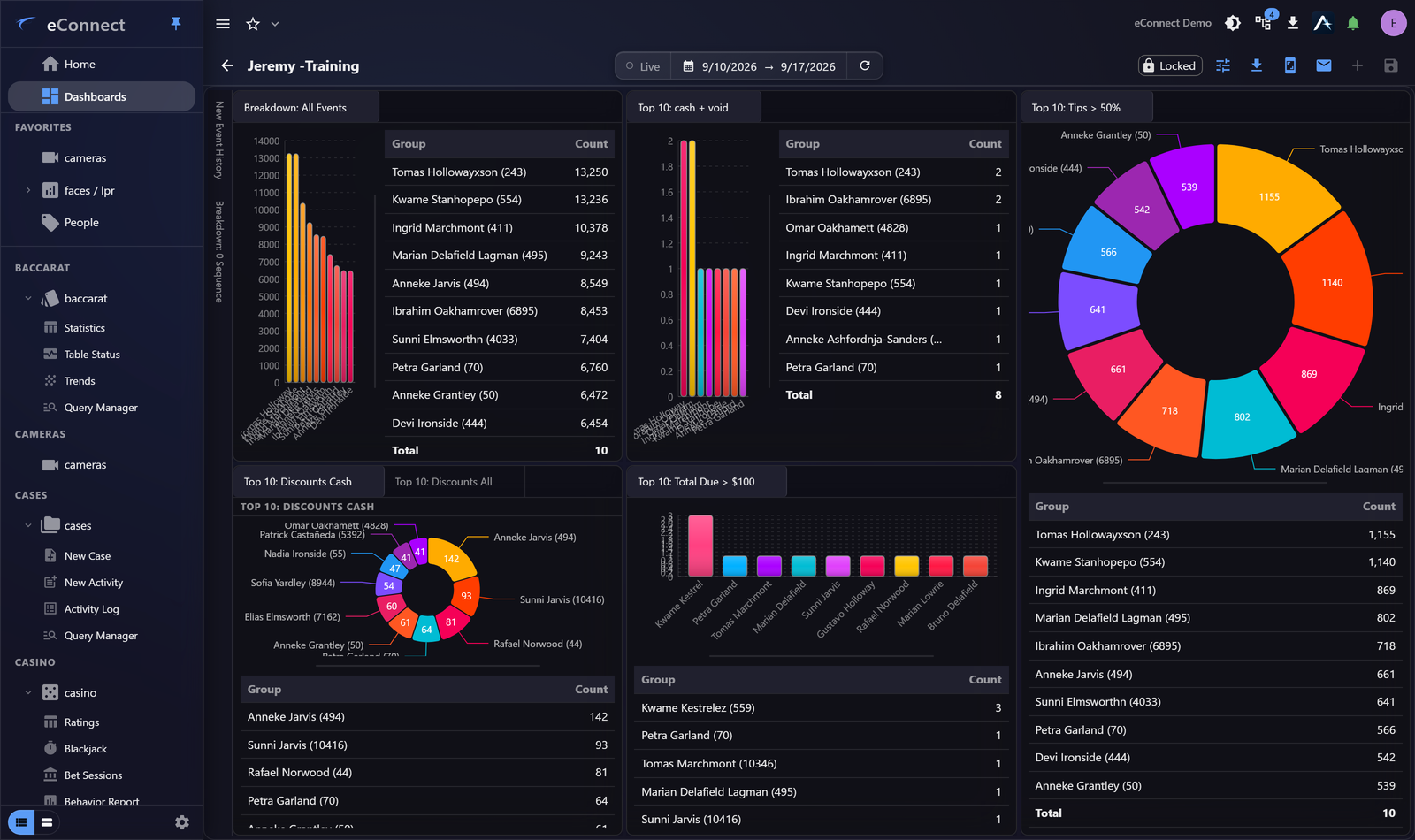
Where a Graph answers "how is this changing", Breakdown answers "where is this concentrated".
Configuring it
Choose a saved query, the field to break down by, and the measure — usually a count or a total.
The grouping field is what the widget divides the total across, and it has no sensible default: until you choose one, the widget says so and draws nothing. That is the expected state of a widget you have just added, not a failure to load.
Choose a field with few values
Proportions only communicate when there are few enough parts to distinguish. Six registers reads well; sixty does not, and the widget becomes decoration.
Where a field has many values, break down by something coarser — area rather than individual register, tag rather than individual subject — and drill in for detail.
Reading it
The useful reading is against expectation. One register accounting for 60% of voids when there are eight registers is the finding; the exact percentage matters much less than the fact it is disproportionate.
That makes Breakdown a good permanent dashboard widget: once you know what normal looks like, abnormal is obvious without reading anything.
Drilling in
Selecting a segment takes you to the records behind it, filtered to that group. This is the same movement as drill-down from an aggregate and it is what makes the widget a starting point.
Sizing
Breakdown needs enough room for its labels. Squeezed small, the segments remain but the labels do not, and an unlabelled proportion tells nobody anything.
Breakdown or Graph?
| Question | Widget |
|---|---|
| Is this rising or falling? | Graph |
| Where is this concentrated? | Breakdown |
| What just happened? | Event History |
The pairing that works well on a dashboard is a Graph and a Breakdown of the same query side by side: one shows the trend, the other shows who is responsible for it.
Audit record
What eConnect writes to the audit trail for the actions on this page.
DASHBOARD CONFIGURE WIDGET '{name}' SAVED