FR Live and LPR Live Widgets
Two live widgets that stream recognition results as they happen: FR Live for faces, LPR Live for licence plates.
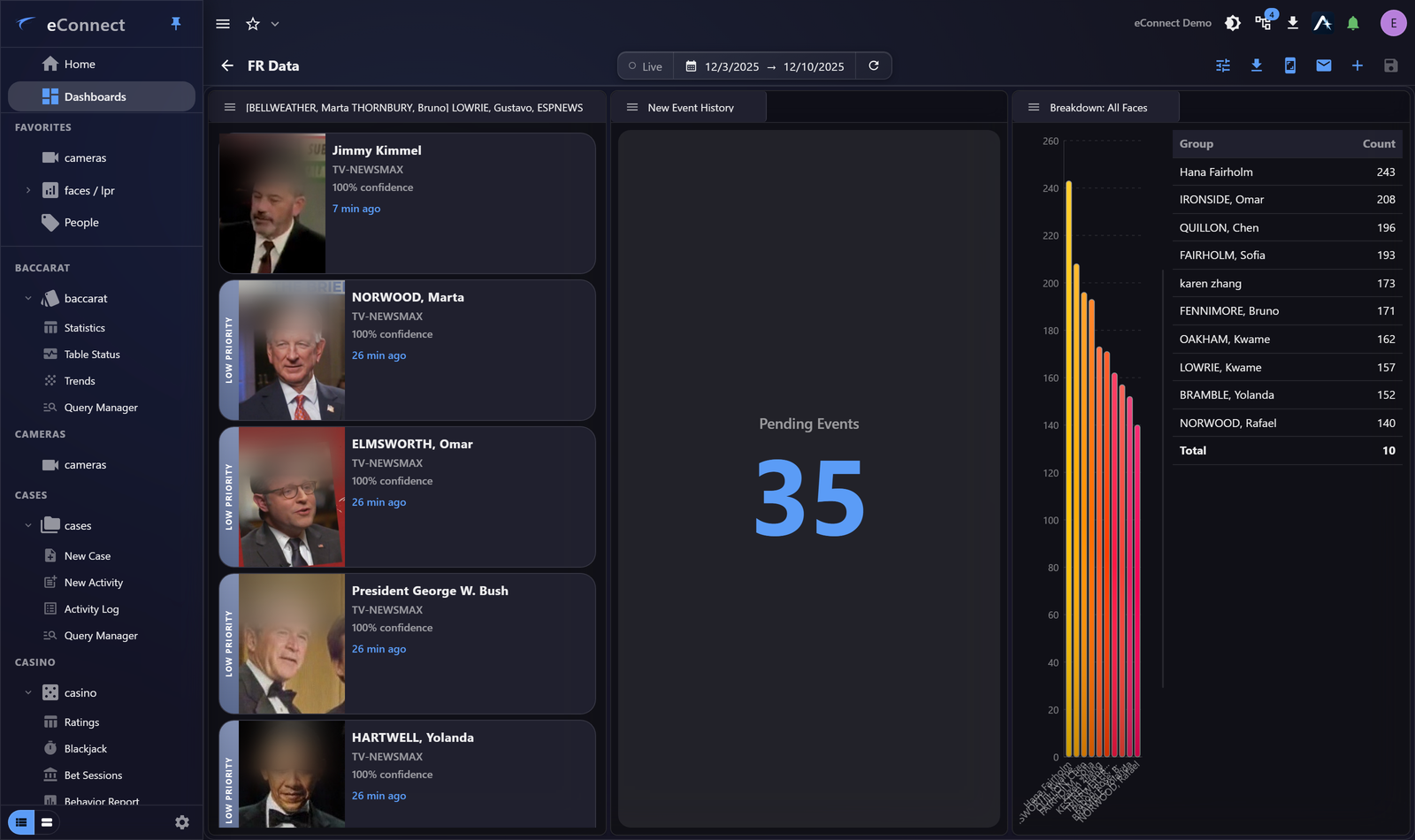
What they show
A running feed of detections — the image captured, who or what was recognised, which detector saw it, and when. New detections appear at the top as they arrive.
These are the widgets that make a dashboard feel live. For a surveillance floor they are usually the centre of the screen.
Configuring them
Choose which detectors or locations to include, and how much detail each entry shows.
Be selective. A feed carrying every detection from every camera scrolls faster than anyone can read and becomes wallpaper. Narrow it to the entrances or areas the person watching is responsible for.
Live feed or alerts?
This is the important distinction, and getting it wrong is a common mistake.
| Live widget | Alerts | |
|---|---|---|
| Purpose | Awareness of what is happening | Demanding a decision |
| Recorded as seen | No | Yes — acknowledged or ignored |
| Suitable for | Watching a floor | Anything requiring action |
A detection scrolling past on a dashboard is not a record that anybody saw it. If something needs acting on, it needs to be an alert, raised by tagging — see Face Tags and Plate Tags.
Use the live widget for situational awareness and alerts for accountability. Most floors want both.
Following a detection
Entries lead to the record behind them — the subject, the plate, the detection with its footage. That drill is captured in your Workspace, so following something interesting builds the thread of an investigation as you go.
Sizing
These need room: the images are the point, and a feed too small to recognise a face is useless. Give them a large share of the dashboard, or a dashboard of their own on a second monitor.
Requirements
FR Live needs face recognition licensed and permitted; LPR Live needs plate recognition. Where you do not have one, that widget is simply absent from the list.
Audit record
What eConnect writes to the audit trail for the actions on this page.
DASHBOARD CONFIGURE WIDGET '{name}' SAVED