Navigation Overview
The Identities app organizes every feature under three top-level menu sections. Which sections and items you see is determined by your account's permissions.
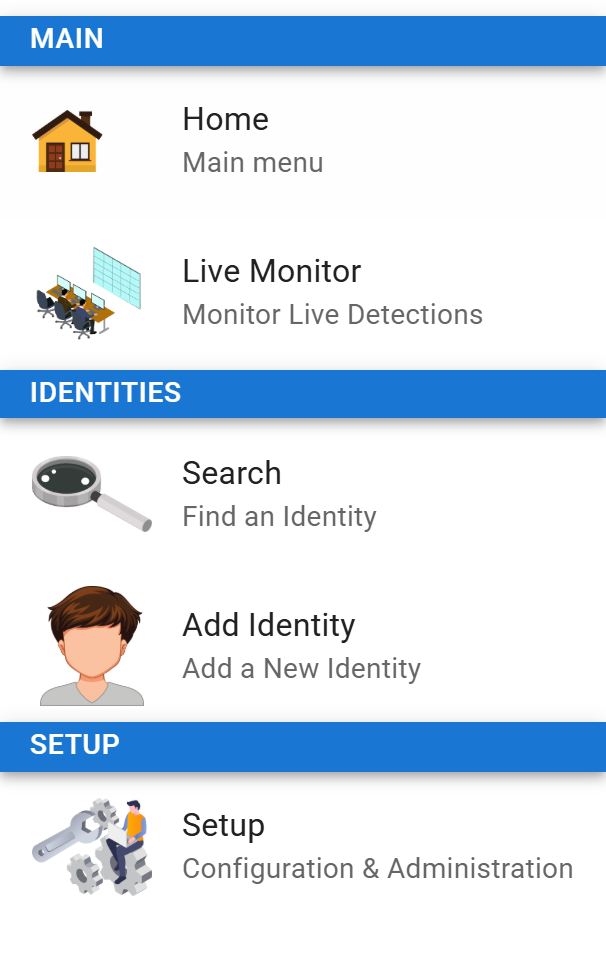
In the app the menu groups entries under Main, Identities, and Setup. Selecting Setup opens the configuration area described in the System section below — Users & Roles, Configured Fields, Manage Tags, Publish, Subscribe, and Relay Ingest. Which items appear depends on your permissions.
Main
Quick-access items that most operators use every day.
| Item | What it does | Documentation |
|---|---|---|
| Home | Returns to the main landing page with shortcuts and recent activity. | — |
| Live Monitor | Real-time stream of face detections from your cameras, with configurable red / yellow / green overlays. | Live Monitor |
Identities
Everything related to the people in your database.
| Item | What it does | Documentation |
|---|---|---|
| Search | Find existing identities by name, alias, tag, custom field, or face image. | Searching |
| Add Identity | Enroll a new person — upload a face photo, set tags, fill in custom fields. | Adding an Identity |
| Audit | Site-wide audit log of every mutation across the system. | Audit Log |
System
Administrative configuration. Typically restricted to a small number of admin accounts.
| Item | What it does | Documentation |
|---|---|---|
| System settings | Manage users, roles, and permission assignments. | Users & Roles |
| Configured Fields | Define custom fields (extra attributes) that can be attached to any identity. | Custom Fields |
| Manage Tags | Create, edit, and organize tags used to label identities. | Tags |
| Publish | Configure outbound publishing points that send identity changes to other sites. | Publishing Points |
| Subscribe | Subscribe to another site's publisher to receive identity data from there. | Subscriptions |
| Relay Ingest | Accept face detections pushed from other sites' Events Bridge, and merge their person details. | Relay Ingest |
Header Controls
The top-right area of the header contains:
- Contextual controls — page-specific buttons that depend on where you are (e.g. Pause/Play for Live Monitor).
- User menu — your profile, user preferences, and Sign out.
The entire application menu can be hidden — useful for kiosks, operator dashboards, and other locked-down deployments. See Live Monitor → Kiosk Mode.