Publish & Subscribe
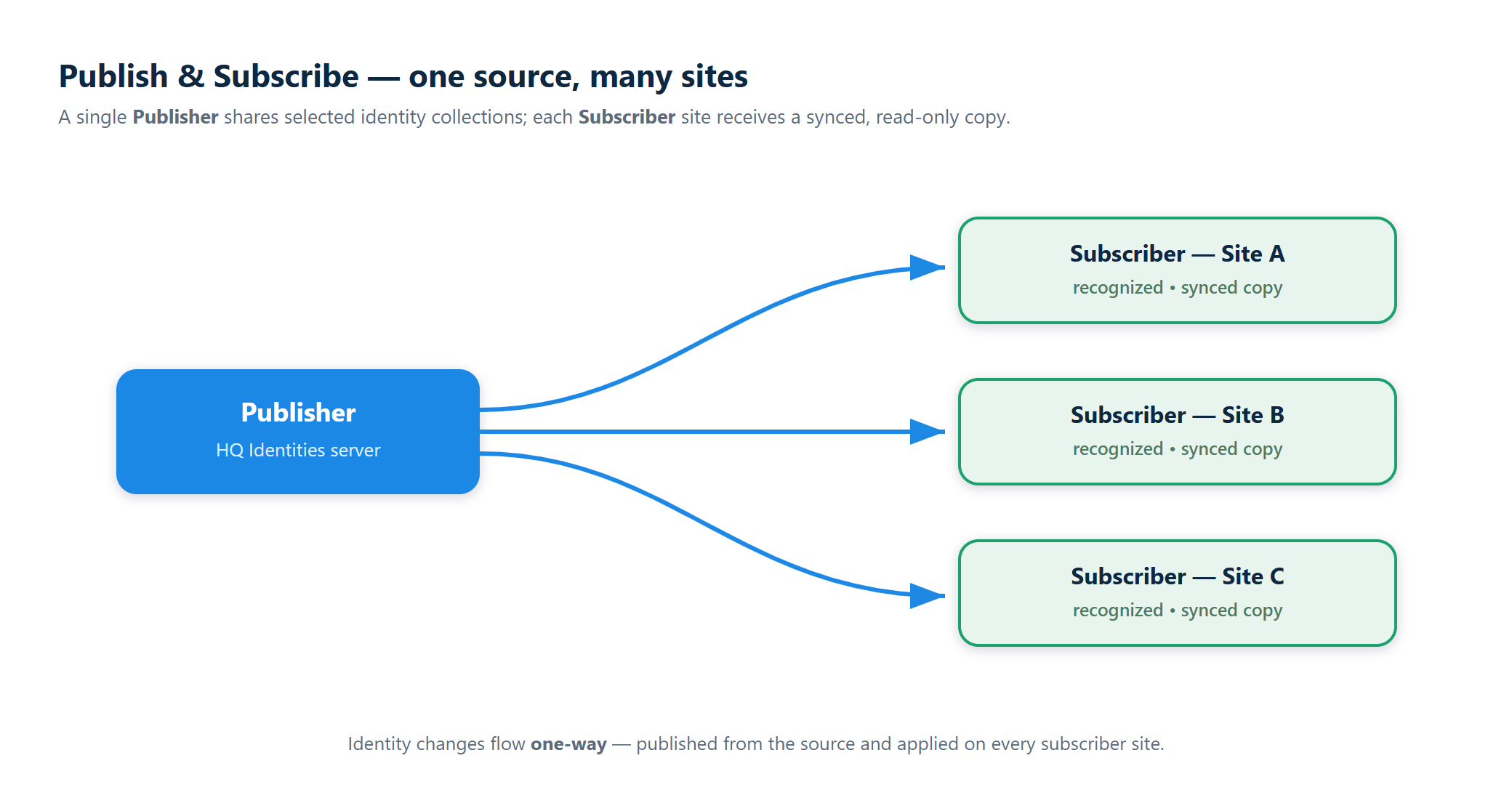
Identities includes a built-in publish / subscribe system for sharing identity data between eConnect sites that don't share a database. A publisher exports a slice of identity data; subscribers at other sites pull that data into their local database and keep it in sync as it changes.
Typical use cases:
- A corporate headquarters maintains a master Watch List and pushes it to every property.
- A chain of locations shares a VIP / loyalty list so any site can recognize a returning customer.
- A central compliance team publishes a Banned collection that every property must honor.
Why Pub / Sub
Identities servers are designed to run independently at each site — even when network links are unstable or firewalled. Pub / Sub solves the problem of "we want one set of people known everywhere" without requiring a shared database, a VPN, or manual CSV imports.
How It Works
The source site configures a publishing point that exports a specific identity collection — with selected fields and optional filters — over a secure gRPC channel.
Each subscriber connects using a JWT token that encrypts the publisher ID and allowed collections. No credentials cross the wire in the clear.
The subscriber pulls the initial snapshot, then receives incremental updates in real time as identities are added, changed, or removed at the source.
Subscribed identities appear in the local Search, Live Monitor, and any Face Verify kiosks that are watching that collection — indistinguishable from locally-managed records.
Architecture at a Glance
Under the hood, the sync uses three technologies in combination:
| Layer | Technology | Role |
|---|---|---|
| Transport | gRPC streaming | Bidirectional, authenticated channel between subscriber and publisher. |
| Message Bus | RabbitMQ | Internal event bus that carries identity changes inside each server. |
| Real-Time Push | SignalR (MessagePack) | Pushes updates to connected browser clients. |
All sensitive payloads (person IDs, collection IDs) are encrypted using AES with salts. Subscribers can only see the collections their token grants access to.
Permissions
| Permission | Grants |
|---|---|
| Publishing Points → Publishing Point Administrator | Access to the Publish section — create, edit, and manage publishing points. |
| Subscriptions → Subscription Administrator | Access to the Subscribe section — create, edit, and manage subscriptions. |
Typically these are restricted to a small number of administrators; they are not day-to-day operator permissions.