Creating a Logical Group
Add group on the Logical Groups page creates one. It needs a name, the records it covers, and the people it applies to.
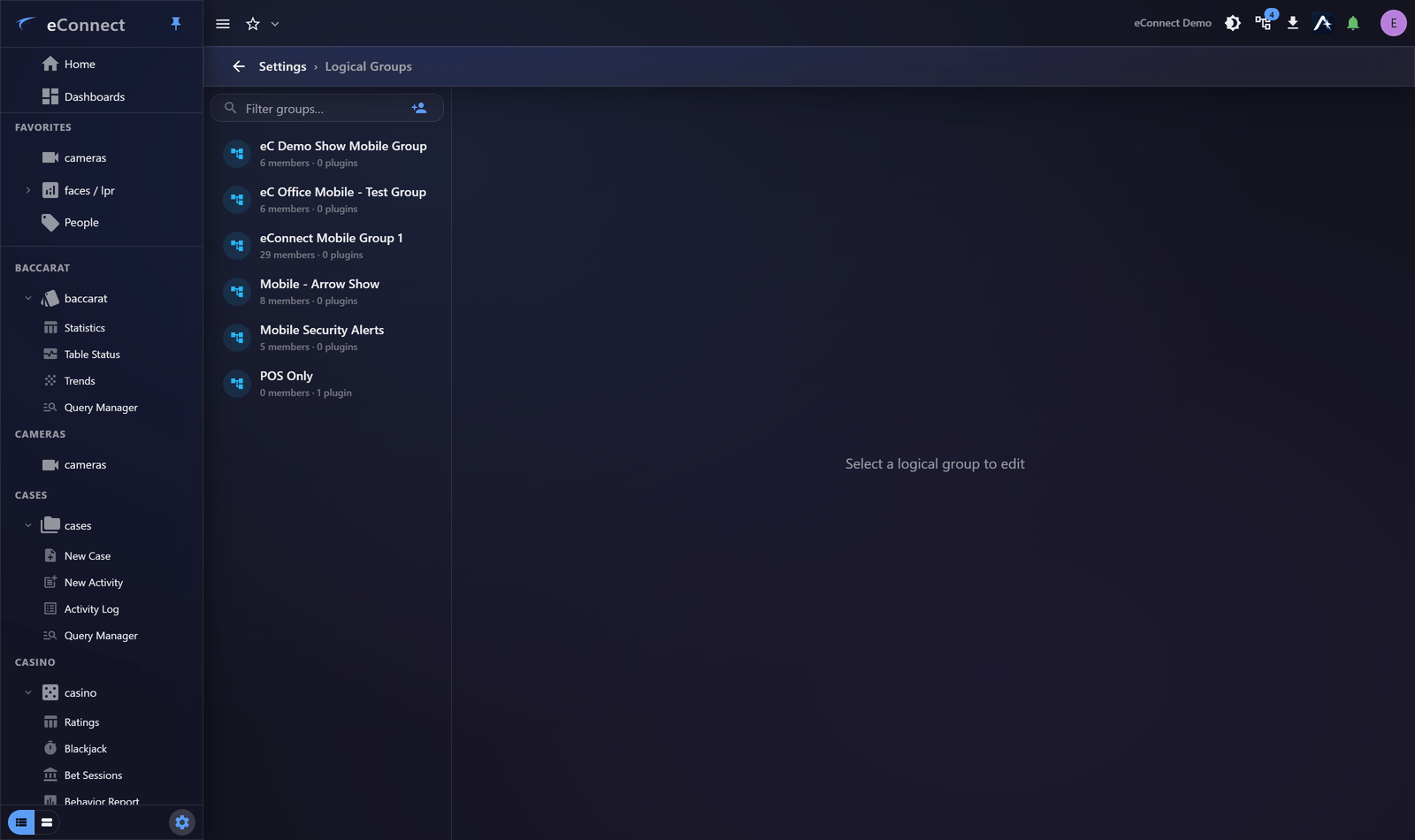
The steps
- Add group and set a Group name.
- Choose which records it covers — see Filtering Modules and Entities.
- Add the users it applies to — see Group Members.
- Have one of those users sign in and confirm they see what you intended.
Step 4 matters. A logical group that is wrong is not obviously wrong from the administration page; it is obvious immediately to the person living with it.
Naming
Name it after what it covers, because that is what an administrator needs to know when assigning it later. "North Building", "Front of House", "Contractor — Cleaning" are all self-explanatory; "Group 3" is not.
Where a group exists for a reason that is not obvious from its contents — a contract, a regulatory boundary — put that in the name. Whoever reviews access in a year will not remember.
Start from the person, not the data
The reliable way to define a group is to ask what somebody in that role actually needs to do their job, then include exactly that.
Working the other way — starting from the data and deciding who should see it — tends to produce groups that mirror your camera layout rather than your organisation, and those are the ones that need reworking six months later.
Sizing
A group per site, or per department, is usually right. A group per person is a sign that logical groups are being used for something else, and it becomes unmaintainable quickly.
If two roles need almost the same scope, give them the same group and separate them with permission groups instead — those control the actions, which is more often the real difference.
Test before rolling out
Add one user, have them sign in, and confirm:
- They can see what they need
- They cannot see what they should not
- Their dashboards and saved queries still return data
Then add the rest. Applying an untested group to thirty people produces thirty support calls at once.
Deleting
Delete Logical Group removes it, and its members revert to whatever their remaining groups allow. Check the members list first — that is who is about to see something different.
What is recorded
Creating and changing logical groups is audited under the user-group administration type, so a change in what somebody can see can be traced to who made it. See Reading the Audit Trail.