eConnect - Milestone XProtect Integration Overview
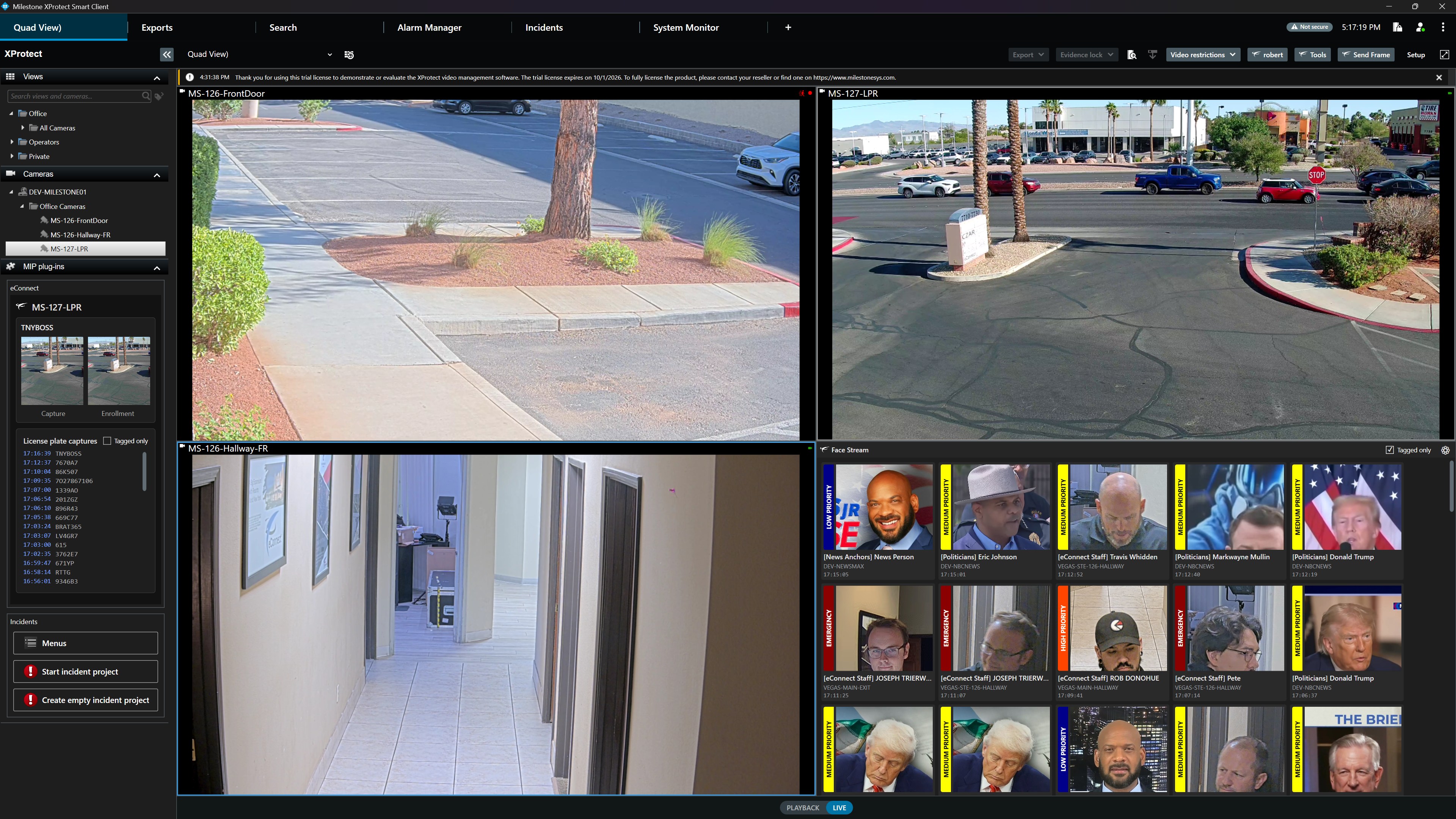
The eConnect Milestone Deep Integration embeds advanced facial recognition (FR), license plate recognition (LPR), and live data intelligence directly into the Milestone XProtect Smart Client. Operators stay in the interface they already know — toolbar buttons, MIP plug-in panels, and overlay data are all native to the standard Smart Client layout.
🎯 Key Features in Action
🖥️ Native Smart Client Embedding
eConnect appears as a first-class part of the Smart Client. The toolbar exposes Submit Frame and eConnect Tools alongside Milestone's native Export, Evidence Lock, and Video Restrictions controls. The left rail's MIP plug-ins panel surfaces per-camera Capture/Enrollment thumbnails, a scrolling Face Captures history, and Start Incident Project shortcuts.
👤 Live Face Stream
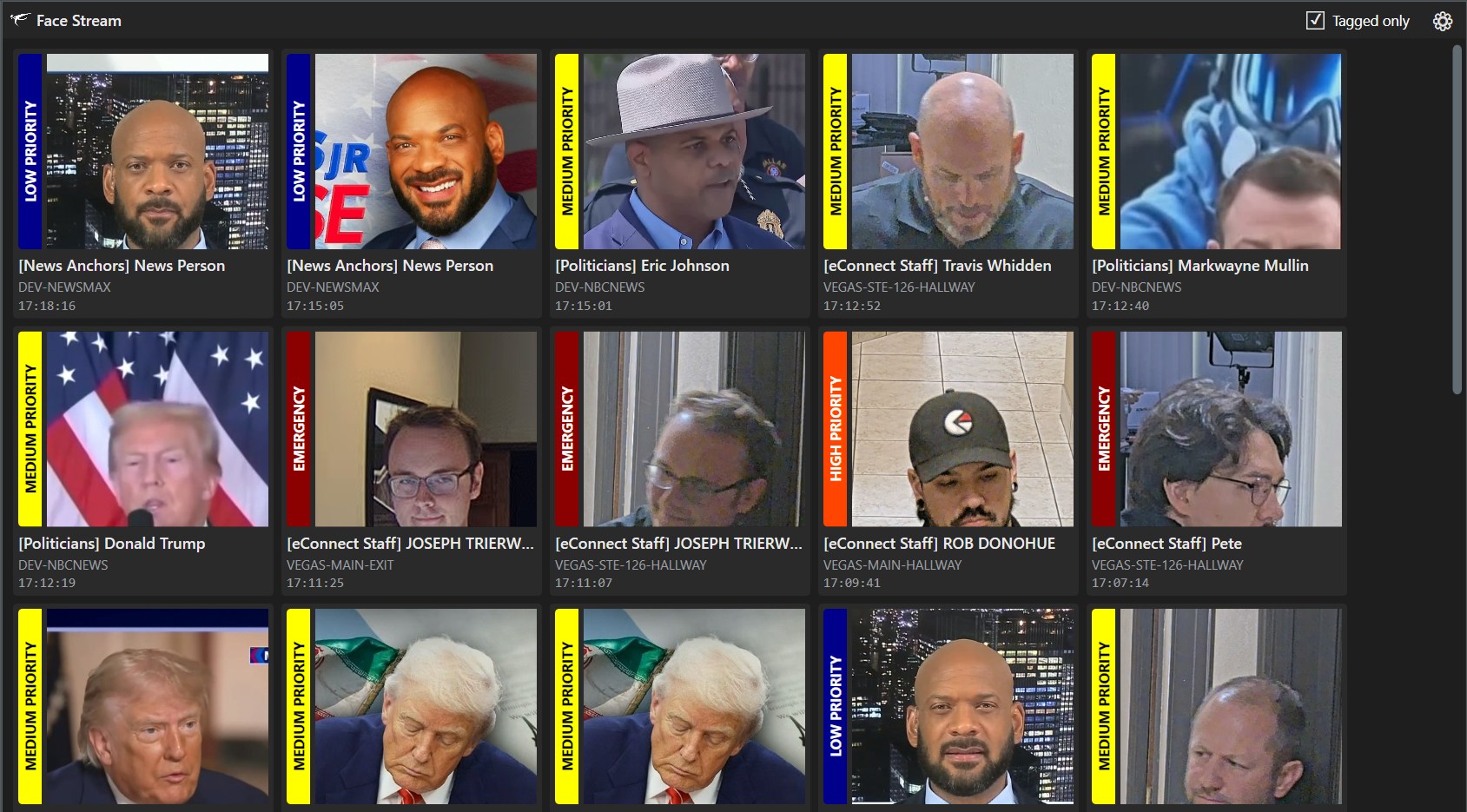
The Face Stream view delivers real-time facial recognition events as a live tile feed. Each tile shows the captured face, matched subject name, tag categories (Celebrity, Politician, Athlete, eConnect Staff, etc.), the source recorder, and the detection timestamp. A Tagged only toggle filters the stream to watchlist matches, and clicking any tile jumps the player to the source camera at the moment of detection.
🔗 Camera ↔ Source Associations
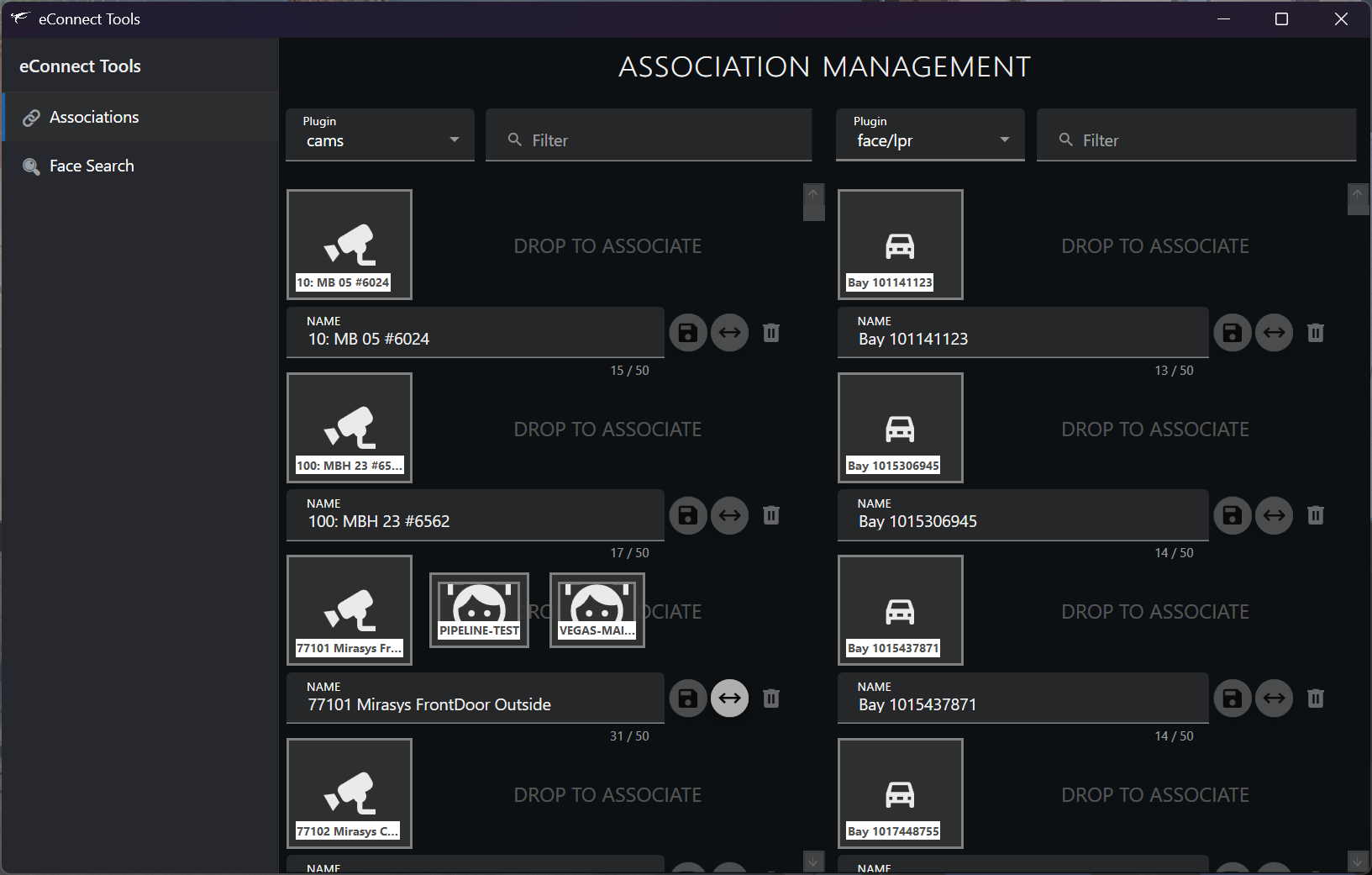
Launched from the Smart Client toolbar, the standalone eConnect Tools application manages how Milestone cameras feed eConnect FR/LPR pipelines. Drag-and-drop maps Milestone cameras (cams plugin) to eConnect face/LPR sources (face/lpr plugin), with per-source capacity indicators (e.g. 15 / 50) so fan-out is easy to audit. Both columns are filterable by name to keep large deployments manageable.
🔎 Face Search
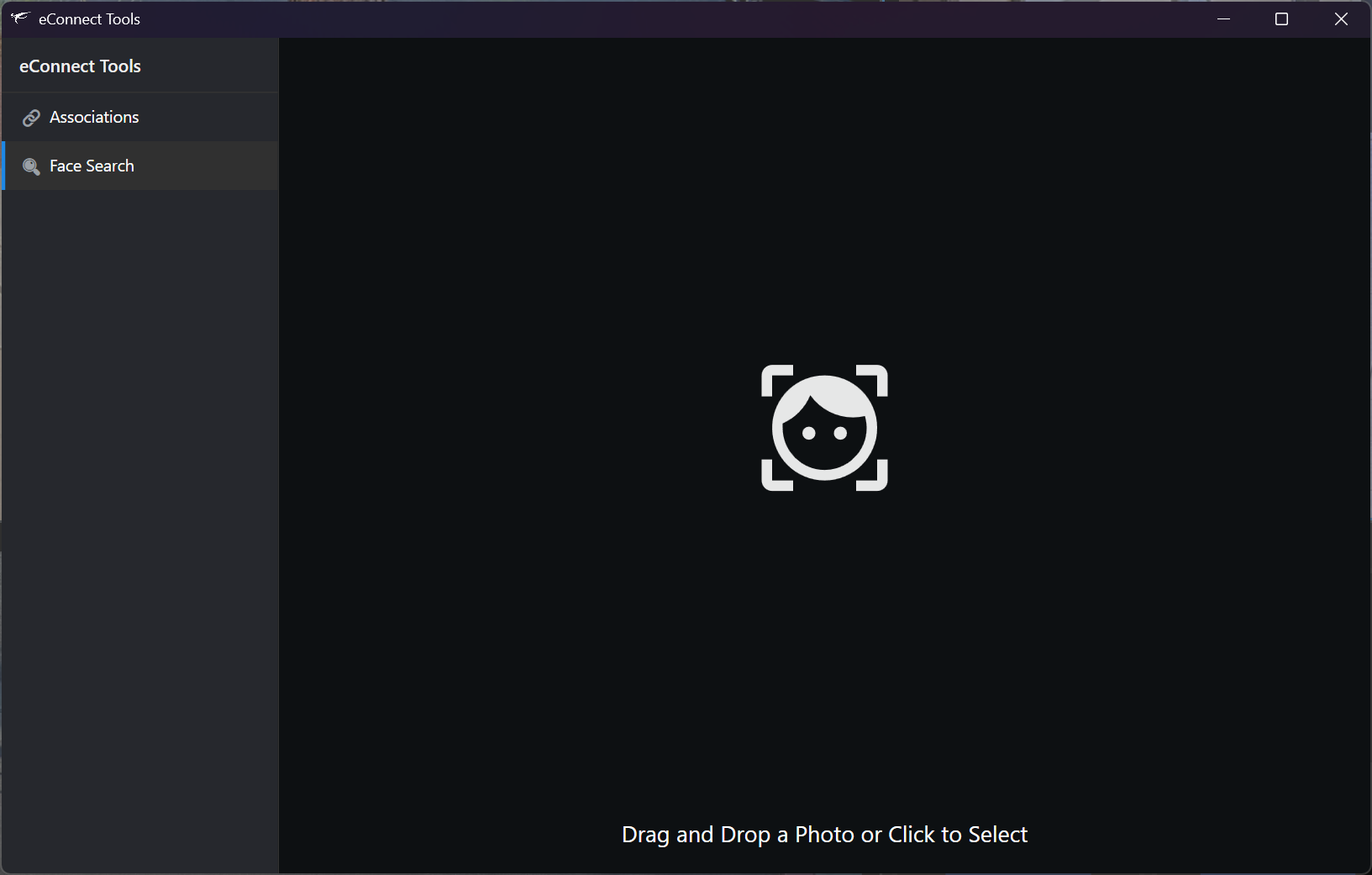
The Face Search workspace inside eConnect Tools provides a dedicated investigative lane for image-based searches — independent of the Smart Client viewports. Drop any photo onto the workspace (or click to select a file) and eConnect returns matches across every recorder and source associated to the system.
📋 What's Included
📸 Submit Frame to Facial Recognition
Grab the current frame from any live or recorded Milestone stream and send it directly to eConnect's facial recognition engine. Results return inside the Smart Client — no clip export, no app switching, and recorded footage is supported for retrospective investigations.
🚨 Live Popup & Audio Alerts
Watchlist hits trigger on-screen popups and configurable audio cues so critical detections are never missed. Acknowledgement and auto-acknowledgement workflows are tunable for high-volume operations.
📊 Multi-Stream Data Overlay
The integration is not limited to face recognition — it surfaces eConnect's full catalog inside the Smart Client:
- Facial Recognition (FR) — real-time detection and watchlist matches
- License Plate Recognition (LPR) — vehicle reads and hot-list hits
- Point of Sale (POS) — transactions correlated with video
- Tag-Based Intelligence — filter every stream by subject, vehicle, or event tag
📁 Incident Project Hand-Off
Any alert, face capture, or submitted frame can be promoted into a Milestone Incident Project with one click, consolidating evidence for case management without leaving the Smart Client.
🚀 Why eConnect + Milestone
Built to feel native to the XProtect Smart Client, the integration adds eConnect's intelligence layer without disrupting the workflows your operators already know. The result: faster identification, fewer missed events, and case-ready evidence captured in the tools your team uses every day.
📞 Get in Touch
Ready to see this running on your XProtect deployment? Our integration team can walk through the install, configuration, and live operator scenarios tailored to your environment.
- 📧 Email: support@econnect.tv
- 📱 Phone: Contact us for personalized consultation and live system demonstrations